
Tax preparation grunt work, done by AI agents
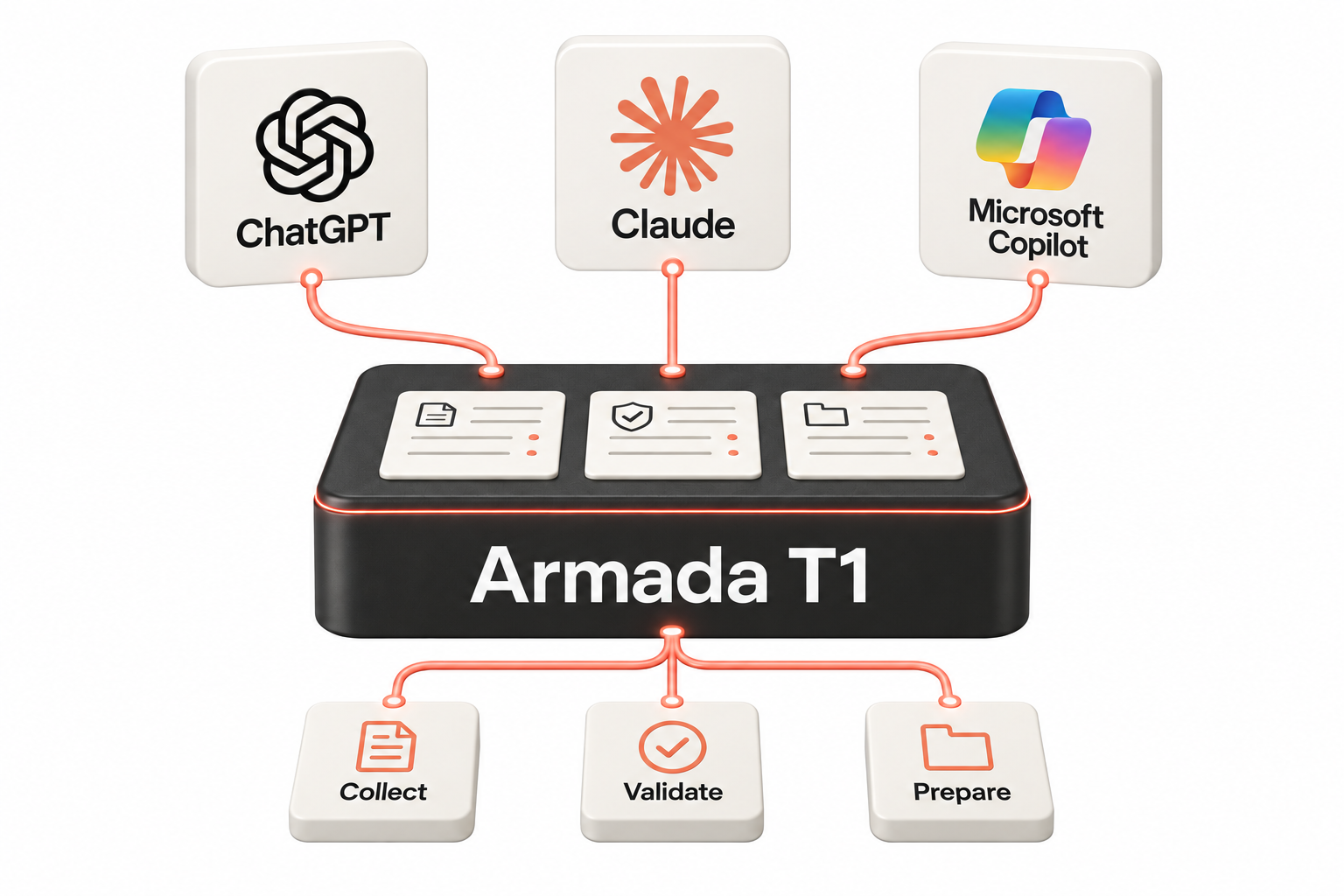
Gathering documents, keying slip data, chasing clients for missing items: AI agents can now handle the busywork on every T1 file.
Armada T1 is the intake system built for agents. Validated records, tracked gaps, follow-up tasks, and clean handoff to the tax software your firm already runs.
Building your own agents? Start with the seven questions.
Armada 1040 is coming soon: the same record and MCP server, for US individual returns. Join the waiting list.
Tax software was built for humans clicking through screens. AI agents don’t require a desktop or web-based UI.
Agents need something different: a structured tax backend they can access directly and operate safely. They need to know which taxpayer info to collect, based on a CRA schema that changes every tax year. They need a secure home for data and scoped identity and permissions. They also need well-defined programmatic capabilities and integrations with existing accounting apps.
Armada T1 exposes all this plus clients, tax files, sections, required fields, validation rules, tasks, and data-completeness gates through agent-ready APIs and MCP tools.
These tax prep-specific primitives give your agent everything it needs to automate T1 data intake. Finally, the ability to do real work and replace hours of manual labour per file.
Your people handle exceptions, not files. Agents escalate what needs human judgment; everything else just moves.
Accounting and tax workflows are changing
Any general purpose AI agent such as Claude, Codex and Claude Code can use the Armada T1 MCP. Self-discoverable and well-defined tools allow your agent to understand how to work immediately - no code required.
Integrate effortlessly
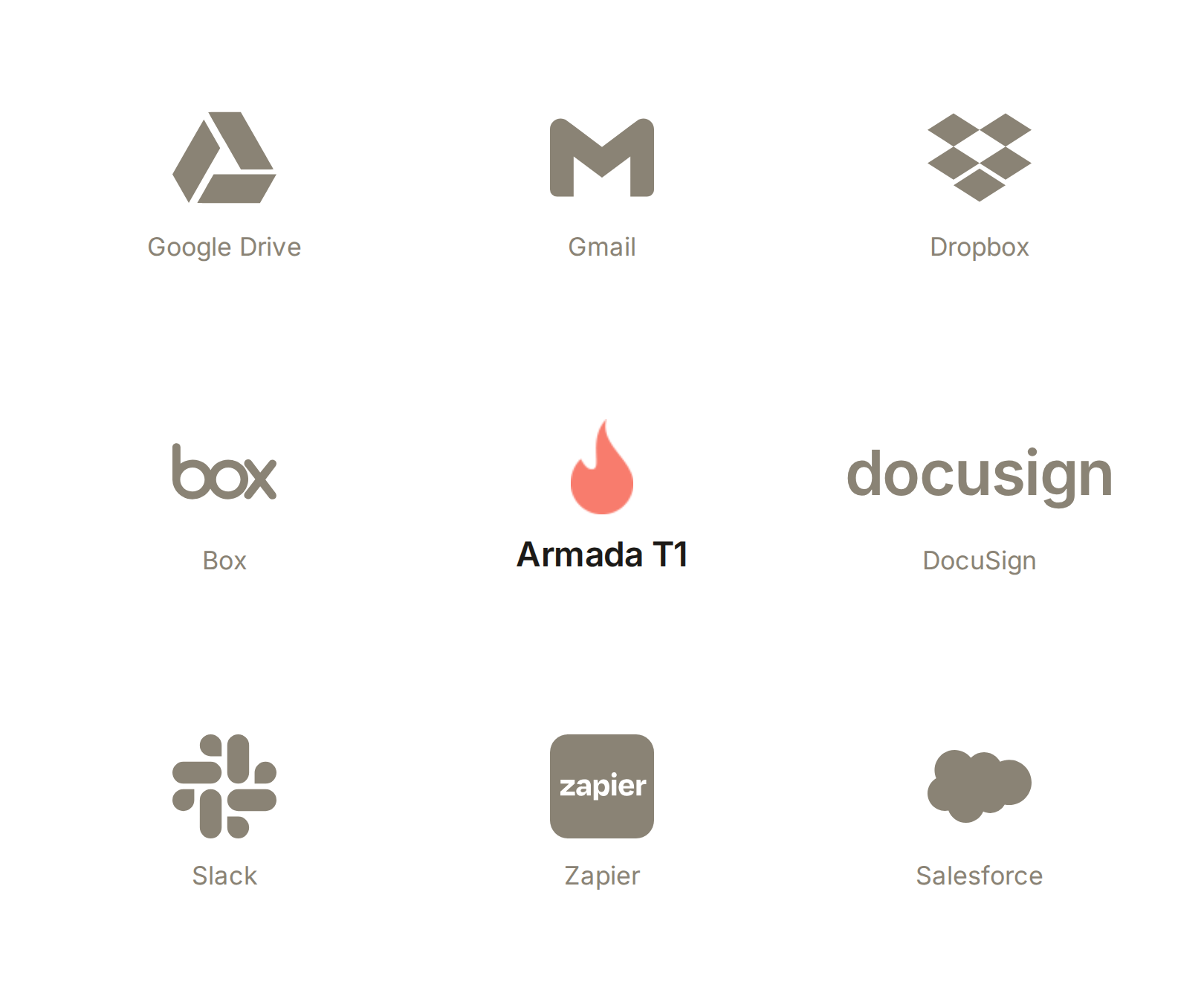
Armada T1 doesn't ship a connector catalogue, because agents make one unnecessary. Your generic agents (Claude, Codex, Copilot, etc.) reach Armada T1 through its API and MCP tools. They reach everything else the way agents reach any app: through its MCP or API when it has one, through its human interface when it doesn't.
Client documents arrive in Gmail, Drive, or Dropbox. Tasks sync with Salesforce. Status updates land in Slack. Agents move the work between them, and Armada T1 governs the tax side of every trip.
We keep a running scoreboard of which tools have an MCP server today, covering QuickBooks Online, Xero, Karbon, TaxDome, Jetpack Workflow, TaxCycle, ProFile, DT Max, Taxprep, the CRA, Google Drive and Microsoft 365: MCP servers for Canadian tax and accounting software.
If your agents can reach an app, Armada T1 integrates with it. Without code.
What agents can do with Armada T1
These are the primitives. Every capability below is a governed operation an agent performs through Armada T1's MCP tools and APIs: validated on write, linked to source documents, and logged. Combine them and you get working tax agents, not demos.
-
External agents can help collect and organize information that taxpayers provide to the firm outside of CRA systems.
This can include uploaded PDFs, scanned slips, photos of receipts, spreadsheets, working papers, email attachments, client notes, questionnaire responses, and preparer interview notes. The agent can use its own LLM or document-processing tools to interpret the material, then use Armada T1 to determine where the information belongs in the tax file.
This is especially useful for information that may not be available from CRA AFR, such as donation receipts, medical expenses, self-employment income and expenses, business-use-of-home details, vehicle expenses, rental-property details, childcare information, or supporting documents for claims.
Result: Client-provided tax information becomes structured, reviewable tax-file data instead of remaining scattered across emails, folders, PDFs, and spreadsheets.
-
Agents do not need to guess how a Canadian tax file is structured. They can ask Armada T1 which sections exist for a given tax file and what each section requires.
For example, an agent can discover sections such as T4 slips, T5 slips, RRSP contributions, donations, medical expenses, child care expenses, self-employment/T2125, rental income, tuition, dependants, pension income, and other relevant areas.
For each section, Armada T1 can expose the available fields, required fields, field types, allowed values, validation rules, whether multiple records are supported, and whether the section requires professional review.
Result: The agent works from Armada T1’s valid tax-file structure instead of inventing fields, categories, or workflows.
-
Once an agent understands the relevant section and required fields, it can create structured records in Armada T1.
For example, if a taxpayer uploads three donation receipts, the agent can create three donation records. If a taxpayer uploads a T4, the agent can create a T4 instance. If the taxpayer provides a self-employment working paper, the agent can create or update the relevant self-employment/T2125 records.
These records can include source references, validation status, and review status, so the firm can trace where the information came from and decide whether it is ready to use.
The important point is that the agent is not merely summarizing documents. It is converting taxpayer-provided information into structured, reviewable tax-file data.
Result: Staff review organized tax records instead of re-entering information from loose notes, PDFs, spreadsheets, and emails.
-
Armada T1 can help agents identify incomplete, inconsistent, or questionable tax-file sections and turn those issues into actionable follow-up tasks.
For example, if a donation receipt is missing the eligible amount, the agent can create a task to request clarification. If a self-employment working paper indicates business-use-of-home expenses but lacks square footage details, the agent can create a follow-up task. If the client mentions moving during the year but does not confirm province of residence on December 31, the agent can create a task for staff or the client.
Tasks can be assigned, tracked, and tied to the specific section or record that caused the issue.
Result: Missing information becomes a managed workflow instead of a last-minute surprise buried in an email thread.
-
Agents can use Armada T1’s structured tax-file data to prepare concise summaries for preparers, reviewers, or managers.
A reviewer-ready summary can show what documents were received, what records were created, which fields were changed, which items came from taxpayer-provided documents, which items still need review, what validation warnings exist, what tasks remain open, and whether any duplicate or unusual items were flagged.
This is especially useful before senior review, because the reviewer does not have to reconstruct the file history manually.
Result: The file reaches the reviewer with a clear summary of what changed, what is missing, what needs judgment, and what is ready to proceed.
-
There is no need for firms to abandon their current EFILE software; Armada T1 acts as the structured front-end data gathering and task automation layer.
After the agent gathers data, creates records, validates sections, and resolves or tracks missing items, it can generate a handoff package for the firm’s existing tax software workflow.
That package can include section-by-section data tables, document indexes, source references, validation warnings, open tasks, reviewer notes, and summaries that help staff enter or import the data into their existing EFILE software.
This allows the firm to benefit from agentic data gathering without replacing the software it already trusts for final preparation and filing.
Result: Firms can keep their existing EFILE software while using Armada T1 to organize, validate, and prepare the data before the return gets there.
Built for AI implementation teams
Armada T1 gives consultants, MSPs, internal automation teams, and agent developers a practical way to build tax preparation agents.
Rather than building Canadian T1 workflow logic from scratch, agents can call Armada T1’s tools to list clients, find tax files, discover sections, read/write section data, create records, validate files, create tasks, and generate handoff packages.
Start with workflows firms already understand
You don't need to imagine new jobs for AI. Tax season already has well-defined roles, and each one maps to an agent you can build on Armada T1 today. Every agent below is a composition of the same governed primitives: no scraping, no screen automation, no invented numbers.
-
Watches the intake folder, reads each new slip, receipt, and statement, and builds validated tax records with every figure linked to its source document. Partial documents save honestly, with the gaps tracked instead of guessed.
-
Works the open-task list: what's missing, which client it belongs to, and what to ask for. It drafts the follow-up, logs the client's answer into the right record, and closes the task when the gap is filled.
-
Sits alongside a live client conversation, pulls up the file's completeness picture in real time, and prompts the preparer with exactly which questions still need answers. Nothing gets forgotten between the call and the file.
-
Compares incoming documents against records already on the file: the same T4 uploaded twice, a donation receipt that arrived by two routes, a slip that contradicts an earlier one. Suspected duplicates become review tasks for a human, never silent deletions.
-
Compares incoming documents against records already on the file: the same T4 uploaded twice, a donation receipt that arrived by two routes, a slip that contradicts an earlier one. Suspected duplicates become review tasks for a human, never silent deletions.
-
Assembles what a reviewer actually needs: every record with its provenance, the file's completeness report, open tasks, and anything unusual worth a second look. Reviewers open a prepared package instead of an empty file.
-
Watches for files that clear the completeness gate and generates the structured handoff package for the tax software your firm already runs. No re-keying, no copy-paste, no file left behind.
-
Reads the structured picture a completed intake creates: RRSP room, donation patterns, income mix, life changes. It surfaces planning conversations worth having, so the file earns money after the return is done.
Safe by design
Agentic workflows should not mean uncontrolled tax workflows. Armada T1 gives AI agents exactly what they need to gather and validate client data reliably: a governed system of record in which to operate. Every statement below is backed by shipped, tested code.
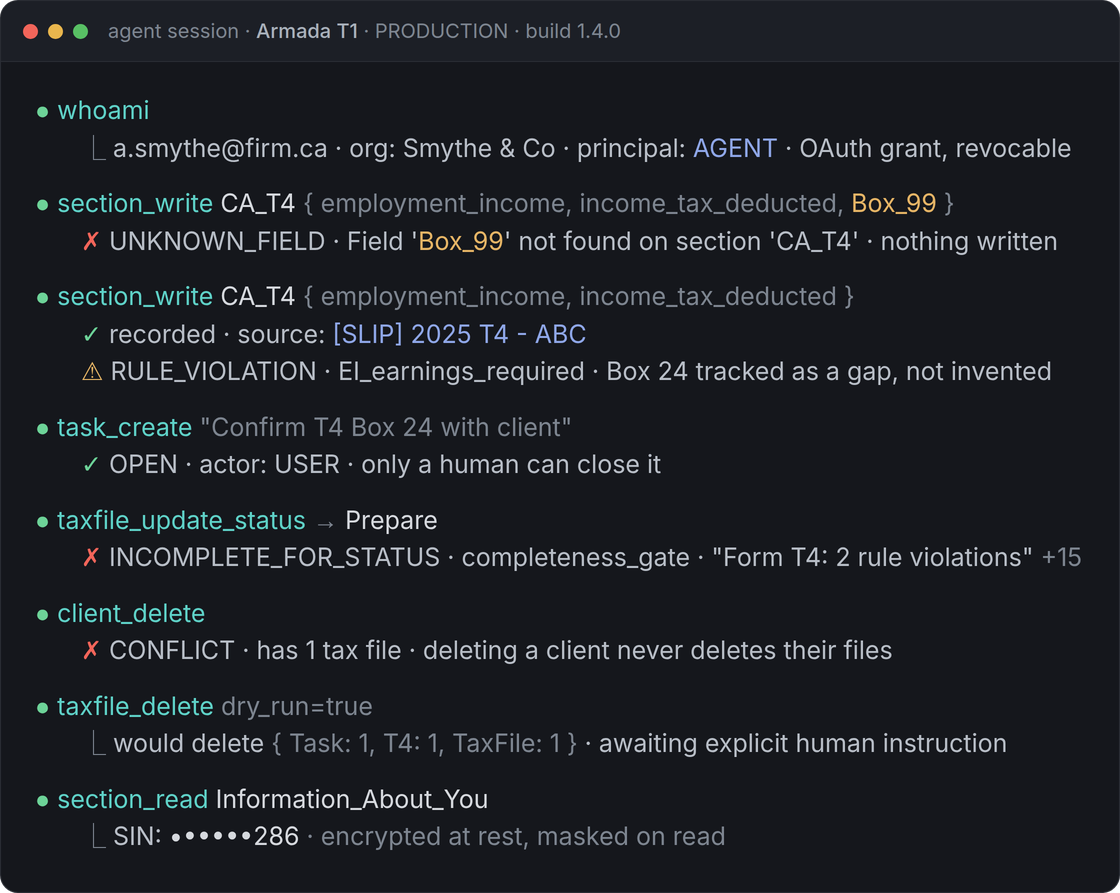
Scoped permissions. Every agent acts as a named, revocable user - never a shared API key. Role checks run server-side, identically for the browser, the API, and MCP. Every tenant is isolated at the data layer, guarded by a test suite that runs on every commit.
Field validation. Agents ask the system what a T1 requires; they don't get to invent it. Hundreds of CRA-derived rules fire on every write, and a missing number stays an honest, tracked gap - never a fabricated value.
Review states. Files move through server-enforced gates an agent cannot skip. Nothing reaches "ready to prepare" until every applicable section passes the completeness check.
Task trails. When the system finds a problem, it opens a task that blocks review until addressed. Only a human can dismiss it, and the dismissal is audited. Deletes require a human instruction and show their blast radius first.
Controlled handoff. Armada T1 stops at gathered, validated inputs. Calculation and filing stay in your CRA-certified tax software, and every export of a taxpayer's data is individually audited.
SINs encrypted at rest and masked on read. Every figure linked to the document it came from. A test-pinned agent tool surface: 38 tools, zero surprises.
Request Access
Building for US 1040? Join the Armada 1040 waiting list.