
Claude for Excel for tax preparers: we tested it on a T5008 cost base
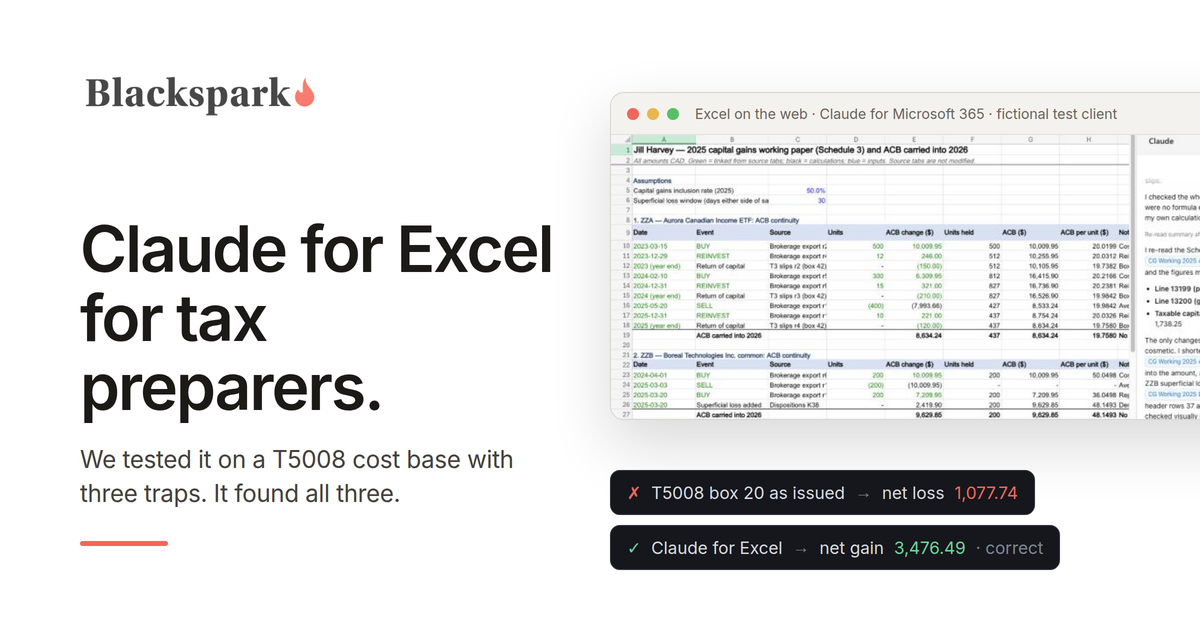
Claude for Excel can build a correct capital gains working paper for a Canadian T1, and in our test it found the errors on a client's T5008 slips without being told to look for them. We gave it a fictional client's brokerage history with three traps a preparer who trusts box 20 would miss. Its answer matched our answer key to the cent: a net capital gain of $3,476.49, where the slips as issued point to a net loss of $1,077.74. This post covers what we tested, what it got right, the one thing a reviewer should catch, and what a firm needs to know before putting client data in it.
What Claude for Excel is
Claude for Excel is Anthropic's add-in for Excel. It sits in a sidebar, reads the open workbook, answers questions with citations to the cells it used, and builds or edits tabs. The documentation lists it as generally available on the Pro, Max, Team and Enterprise plans, and supported in Excel on the web, Microsoft 365 Excel on Windows, and Excel for Mac 16.46 or later. It does not run in Excel 2016 or 2019 bought as a one-time licence, which many small firms still use.
You install it from Microsoft AppSource as "Claude for Microsoft 365", which also covers Word and PowerPoint. We ran our test in Excel on the web on a free Microsoft account with no Microsoft 365 subscription, so a preparer without a desktop Office licence can use it too. The Claude plan is still required.
The test: three traps in one brokerage account
We built a workbook for Jill Harvey, our sample taxpayer, with a non-registered account at a fictional dealer and three fictional securities. It held the dealer's transaction history from 2023 to 2025, the three T5008 slips issued for 2025, the return-of-capital amounts from the T3 slips for one fund, and a purchase confirmation from a previous dealer. Each security hid one problem.
The fund with return of capital. Jill held an ETF that paid annual distributions, reinvested them, and reported return of capital in box 42 of its T3 slips. The CRA's guidance is that reinvested distributions add to the adjusted cost base and return of capital reduces it. The dealer's box 20 ignored the return of capital, so it overstated the cost of the units she sold.
The share sold at a loss and bought back. Jill sold a stock at a loss on March 3, 2025 and bought the same number of shares back seventeen days later. That is a superficial loss: identical property bought within 30 calendar days of the sale and still owned 30 days after it. The loss is denied and added to the cost base of the new shares. The T5008 knows nothing about this.
The shares transferred in. Jill moved a bank stock from another dealer in 2024. The new dealer booked it at its market value on the transfer date, and that value is what appeared in box 20 when she sold. Her real cost was on the old dealer's confirmation. The CRA says plainly that the box 20 amount "may or may not reflect your adjusted cost base."
We built the answer key separately, with formulas, and kept it closed during the run so the add-in could not read it.
You can run the same test on your own copy of the add-in: download the test workbook. The data is fictional, and the prompt we used is on the first tab.
What we asked
The first prompt was deliberately plain, the way a preparer would type it on a busy day:
"Work out Jill's 2025 capital gains and losses for Schedule 3 from this workbook, and the adjusted cost base she carries into 2026 for each security. Put your working on a new tab, using formulas that reference the source tabs."
We had follow-up prompts ready that pointed at each trap. We did not need them.
What it got right
Claude read every tab, asked permission before changing the workbook, and built a new working tab with an adjusted cost base ledger for each security, a dispositions table, a Schedule 3 summary, a reconciliation to the T5008 slips, and the cost base carried into 2026.
The numbers. The fund sale produced a gain of $996.39 on an adjusted cost base of $7,993.66, with the return of capital from 2023 and 2024 applied before the sale and the 2025 amount after it. The superficial loss of $2,419.90 was denied and added to the replacement shares, which now carry a cost base of $9,629.85. The transferred shares used the original cost of $6,009.95 from the previous dealer, for a gain of $2,480.10. Net capital gain: $3,476.49, identical to our key.
The reconciliation, unasked. It added a section comparing its cost base to box 20 on each slip and explained both differences: $174.13 on the fund because the dealer ignored return of capital, and $1,990.05 on the transferred shares because the dealer used the transfer-date value.
Formulas, not pasted numbers. The tab contains 194 formulas and 8 typed constants: the 50% inclusion rate, which is the rate for 2025, the 30-day window, and zeros. Every input links back to a source tab, and the source tabs were left untouched. The superficial loss formula also handles a partial buyback, which our test did not require.
What to ask the client. We then asked what a preparer would need to confirm before filing. The answer was the list an experienced reviewer would write: whether a spouse, a corporation she controls, or a registered plan bought the same shares in the window; whether she holds the same securities in another non-registered account, since the cost base is averaged across all of them; whether the account is joint; whether the transferred shares were a gift or an inheritance; the full T3 slips, since capital gains distributions belong on Schedule 3 too; loss carryforwards; the T123 election for Canadian securities; whether her trading could be business income; and whether every amount is really in Canadian dollars.
The one thing a reviewer should catch
In its written answer, Claude described the superficial loss window as starting on January 31, 2025. Thirty days before March 3, 2025 is February 1. The formula in the working tab used the correct window, so the result was unaffected, but the sentence was wrong by a day. It is a small error, and it is the reason the working paper still goes to a preparer. Anthropic's own documentation says the add-in is not recommended for final client deliverables without human review, and we agree.
Other T1 working papers worth trying
We tested one job. The same capabilities apply to the other schedules a preparer builds in a spreadsheet, and we have not tested these yet:
Rental income. Sorting a client's rental spreadsheet into T776 expense lines, with items that look like capital spending and any personal-use share flagged for the preparer to decide.
Self-employment income. Turning bank and credit card exports into T2125 categories, with meals, personal-looking items and home office costs marked for review.
Medical expenses and donations. Totalling medical receipts for each 12-month period ending in the tax year so the preparer can choose one, and checking donation carryforwards.
Last year's working papers. Explaining how someone else's spreadsheet arrives at a number and tracing broken references.
Getting the numbers into your tax software
A working paper is only useful if the result reaches the return. TaxCycle documents an Excel import for forms: you create a template from a form, fill it, and import it, and the help page names the donations, medical expenses and rental property tables among the forms it covers. A template like that is something Claude for Excel can fill from a working paper. We have not tested that import. More on what each Canadian tax package accepts is on our TaxCycle page and the MCP servers for Canadian tax and accounting software overview.
Before you put client data in it
Data handling. Per Anthropic's documentation, inputs and outputs are deleted on the back end within 30 days, and chat history is stored locally in the browser. The add-in does not follow custom data retention settings an organization has set, and its activity does not appear in Enterprise audit logs. Which Claude plan protects client data, and what to put in your engagement letter, are covered in Claude for Canadian tax preparers.
Files from outside the firm. The documentation warns that spreadsheets from external sources can carry hidden instructions that try to manipulate the add-in. A client's brokerage export is exactly that kind of file. Work on a copy, read the permission prompts before approving them, and choose "Allow once" rather than "Always allow".
Review stays with the preparer. The add-in did careful work, and a preparer still signs the return. Treat its tab as a working paper you check, not an answer you file.
Where Armada T1 fits
A working paper is only as good as the file behind it: the brokerage export, the T5008 slips, the T3 slips, the prior dealer's confirmation. Armada T1 is the system of record for Canadian T1 intake, with its own MCP server. An AI agent records each slip as a validated record with its source stored alongside, tracks what is still missing, such as a T3 slip that has not been issued yet, and routes each open question as a task to the preparer or the client. By the time a preparer opens Excel, the inputs are complete. Armada T1 does not calculate or EFILE returns; the completed file is handed off to the CRA-certified tax software your firm already runs. If that sounds useful for this season, request access.
This post provides general information for tax professionals and is not tax, legal, or filing advice. The test used fictional data and was run on September 30, 2026; results from an AI model can vary between runs. Tax rules reflect CRA guidance for the 2025 tax year as published in September 2026; confirm current-year rules against the CRA's own publications before relying on them. Claude is a trademark of Anthropic, PBC, and Blackspark is not affiliated with or endorsed by Anthropic. Microsoft and Excel are trademarks of Microsoft Corporation, and TaxCycle is a trademark of its owner; no partnership or endorsement is implied.
