
ChatGPT Intelligent UI and Claude on-demand UI with an MCP server: a tax intake example
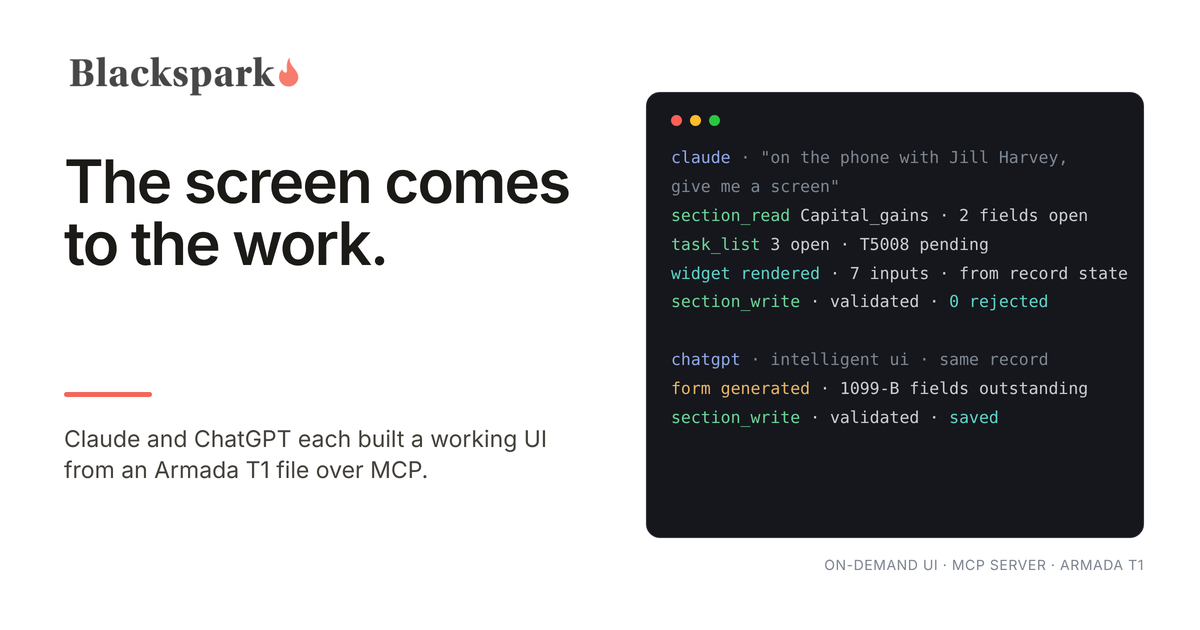
Twice in the past month I asked an AI harness for a screen instead of an answer, and twice it built one from a live tax file. In September it was Claude, generating a widget to guide me through a phone call with a client. In October it was ChatGPT, using its new Intelligent UI feature to update a capital gains record inline in the chat. Both screens were built from the same system, Armada T1, through the same MCP server, and both wrote their edits back into it. This post is what happened, why it worked, and what I think it means for anyone who builds or buys tax software.
The two demos
The first run was in Claude. I opened a fresh session, uploaded a taxpayer's completed 2025 questionnaire from a real firm, and said "create a tax file in Armada T1 for this client." Claude read the questionnaire, recorded every detail it contained in Armada T1 (name, address, marital status, dependants, the usual), and created tasks for the topics the taxpayer had flagged without providing documents, which is exactly the state a file is in at the start of a season. Along the way it noticed that the firm's questionnaire still asked about the digital news subscription credit, which expired after 2024, and checked that against Armada T1's 2025 schema before leaving it out. Then I told it I was on the phone with the taxpayer and asked for an inline UI to guide me through the call. It built one on the spot: a widget specific to the current state of that file, showing the open items and the fields still outstanding, with inputs I could fill as the client answered. When the call ended, one click on "Save to Armada T1" wrote everything back to the live system. The full run, with video, is on LinkedIn.
The second run was in ChatGPT, after OpenAI's Intelligent UI started rolling out. I asked it to update a capital gains record for the same client. It generated a dynamic form inline in the conversation, pre-filled from the record, showing exactly which fields were outstanding, and wrote the edits back to Armada T1 through MCP. One chat turn. No logging in to Armada T1's own interface, no searching for the client, no hunting for the right section. Everything needed to finish the task was presented in context and validated against the schema before it was saved. That run is on LinkedIn too.
In both cases the agent could have done the same work with no screen at all, from an uploaded slip or a fetched transaction summary. The screen appeared because a person preferred one for that particular step.
Why the screen could be built at all
Neither harness imagined the form. Every field in the Claude widget came from actual section records and open tasks in Armada T1. Every field in the ChatGPT form came from the capital gains section's schema and the record's current values. The harness asked the system what the file contained and what it still needed, and drew that.
That is only possible because the system underneath is built for agents rather than for a screen. Armada T1 is the system of record for Canadian T1 intake, with its own MCP server. Through it an agent can discover which sections a return can contain and which fields each one requires, read the current state of any section, see which tasks are open, and write a change that the server validates before it stores. Unknown fields are rejected by name. A rule violation is refused rather than saved. Those same tools serve the agent working on its own and the agent building a screen for a person, and the writes go through the same validation either way. We wrote up the properties that make this safe in seven questions for anyone building intake agents; on-demand UI is what those properties buy you once they exist.
Armada T1 does not calculate or EFILE returns; the completed file is handed off to the CRA-certified tax software the firm already runs. Nothing in either demo changed that boundary. The screens were about getting the inputs right.
What this means for software interfaces
For twenty years business software competed on its interface. The agent era inverts that, for two reasons. First, agents do not need a human interface to operate a system; they need an API or an MCP surface. Second, whenever a screen would actually help, the agent can generate one that is more specific than anything a vendor could design in advance.
Look at what the two demos replaced. I could have run the client call in Armada T1's web UI: find the client, open the file, click into each relevant section, update every record by hand, close each task. The generated widget reduced that to the minimum number of actions, because the agent already knew which parts of this file mattered for this client today. A vendor designs one screen for every user and every situation. The agent built one for one user, one client, one moment, and threw it away afterwards.
The harness also multiplexes. If the firm's practice management system had been connected in the same session, the same widget could have pulled from it or updated it alongside Armada T1, using whatever integration points exist between the two. The person sees one screen; the systems behind it can be several.
OpenAI's direction makes this explicit. Plugin extensions, announced at DevDay in September, give a plugin a home inside the ChatGPT sidebar on web and desktop, with interactive panels people work in alongside the conversation, and OpenAI chose a CAD application for the demo because visual manipulation is where the case is most obvious. The intent is clear: ChatGPT wants to be the place where people operate their existing software, and it is inviting vendors to bring their high-frequency operations there and leave the rest of their interfaces behind (my notes on the announcement). Claude's on-demand UI gets to the same place from the other side, generating the panel rather than hosting a vendor's. Microsoft is building the same thing into Copilot. When the front ends converge, the advantage moves behind them, to the systems that hold the data, enforce the rules, and know when a job is actually done (more on that).
What this means for a tax firm
The practical effect is that the review happens where the agent is. A preparer on the phone with a client does not switch to another tab; the agent brings the relevant part of the file into the conversation, with validation attached, and the save goes back through the same rules an unattended agent would face. The preparer still decides, still reviews, still signs. What changes is that the screen comes to the work rather than the work going to the screen, and it comes already filtered to what matters.
It also changes what a firm should ask of its vendors. The question is no longer how good the interface is. It is whether the system can describe its own state to an agent well enough that a correct screen can be generated from it: which sections apply, which fields are required, what is complete, what is still open, and what the rules are for a valid change. A system that holds documents and a few extracted fields cannot support a correct generated form for a capital gains record, because it does not know what complete looks like. A system that validates against the full schema can.
What it takes from the system of record
If the harness owns the screen, the vendor's job is to make generated screens correct and safe. In practice that means machine-readable section and field states, explicit flags for what is outstanding, validation messages the harness can display rather than swallow, tasks a widget can close, and one tool surface shared by autonomous agents and human-facing screens so that nothing can be written through a form that could not be written through the API. Those are design requirements for Armada T1 today, and they are the design requirements for Armada 1040, which brings the same record and the same MCP server to US individual returns. It is coming soon; the introduction explains what it holds and the waiting list is open.
The UI did not disappear in either demo. It moved. The human still gets a screen, but it is the right screen, built from the right state, and the record underneath is what made it possible.
The runs described here used Claude (Anthropic) and ChatGPT (OpenAI) with Armada T1's MCP server on a sample client file. Claude is a trademark of Anthropic, PBC. ChatGPT is a trademark of OpenAI. Copilot is a trademark of Microsoft Corporation. No partnership or endorsement is implied, and product features change; verify current capabilities with each vendor.