
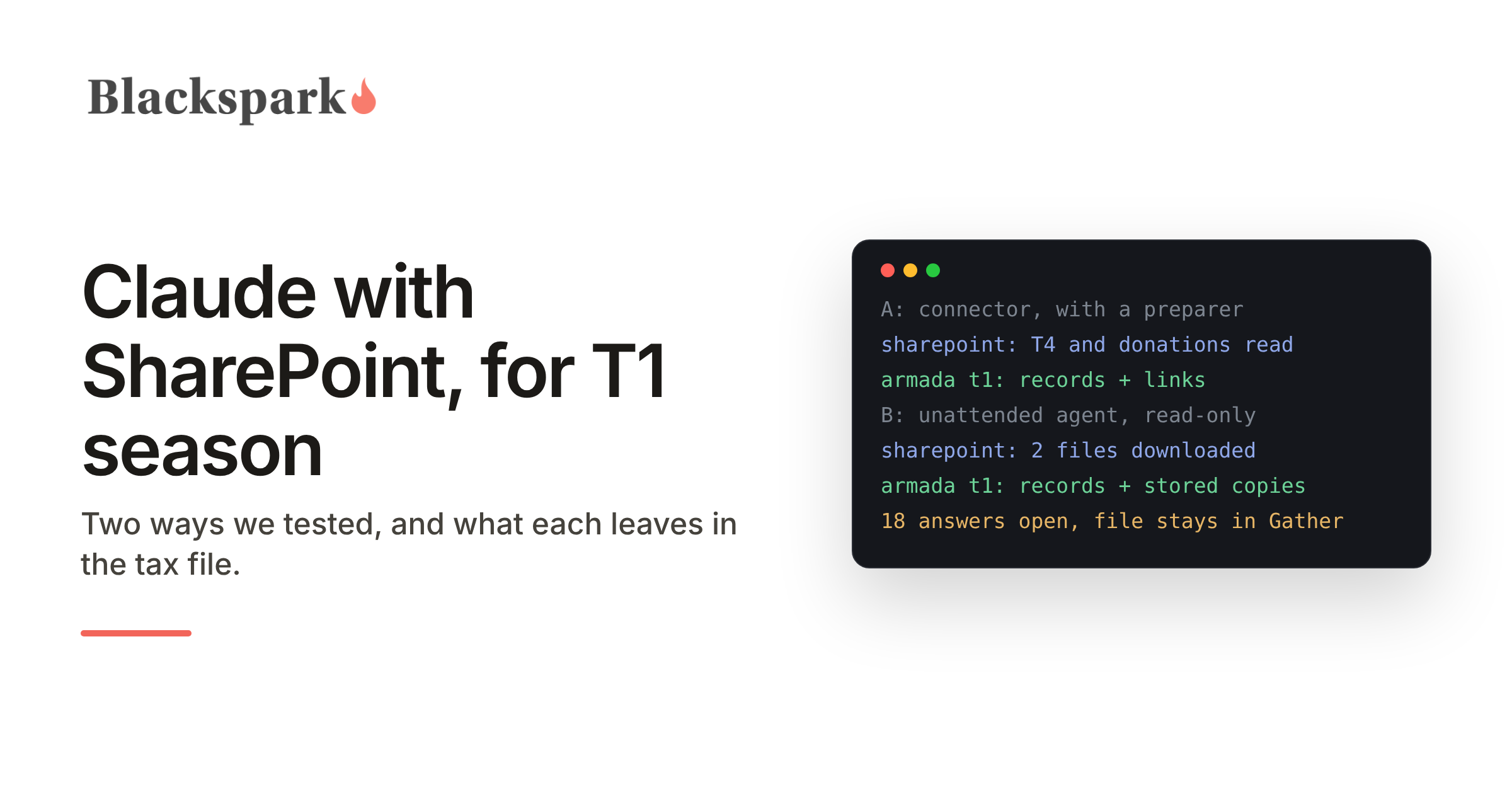
Our earlier build for firms without a practice management API used Google Drive as the place client documents land. The question that followed was predictable: we are a Microsoft firm, our client folders are in SharePoint, does the same thing work? The short answer is yes, in two ways that suit different jobs. A preparer can do it from a Claude app with Claude's Microsoft 365 connector. An unattended agent can do it with read access to a single SharePoint site, and that is the route that brings the original documents into the tax file. Both read the documents accurately in our tests. This was a proof of concept: we ran both between November 12 and 14, 2026 against a separate Microsoft 365 test tenant and an Armada T1 test environment, with a fictitious client and nothing filed.
The two options at a glance
The Microsoft 365 connector, with a preparer.
Who drives it: a person, in conversation in a Claude app, or a scheduled task under that person's sign-in.
Signs in to Microsoft as: that person, once an administrator has approved the connector.
Can reach: whatever that person can see in Microsoft 365.
Gives the agent: each document's text.
Leaves in Armada T1: the figures, and a link back to the SharePoint file.
Setup: minutes.
An unattended agent with read-only access.
Who drives it: nobody. It runs on demand or on a schedule.
Signs in to Microsoft as: an app the firm registers in its own tenant.
Can reach: one SharePoint site, read-only.
Gives the agent: the original files.
Leaves in Armada T1: the figures, and a stored copy of each document.
Setup: about an hour for the firm's Microsoft administrator, plus a one-time setup of the agent on our side.
The test
Both options got the same job. Our fictitious client, Morgan, had two files in a SharePoint folder laid out the way many firms already work: a folder per client, a folder per tax year, and an Inbox. One file was a 2025 T4 as a PDF. The other was an Excel list of the year's donations that the client had made. Each carried a deliberate trap. Box 45 on the T4 was blank, and the third donation on the list had a charity, a date and no amount. Both options ran on the same intake instructions and wrote to Armada T1 through its MCP server.
Option A: the Microsoft 365 connector, with a preparer
The connector is Anthropic's own. A Microsoft 365 administrator approves it once for the organization, and after that each person connects it in their Claude app and signs in as themselves. Anthropic's help article says its SharePoint search covers the whole tenant and cannot be limited to one site, so what the agent can reach is what that person can reach.
In our test the connector returned each document's text, not the original file. That was enough to read them correctly. Every box on the T4 came back with the right amount, the blank boxes came back blank, and the spreadsheet came back cell by cell with the missing amount still missing.
With the Armada T1 connector in the same conversation, Claude built the file. The T4 went in box by box, with box 45 recorded as unknown. From the donations list it recorded the two gifts that had amounts, $225 in all, left the third out, wrote that decision into the file log, and opened a task to get the missing amount from the client. Completeness came back with eighteen required answers outstanding, every one of them a question for the client, so the file stayed in Gather.
One check fired that we had not planned. Armada T1 compares the SIN printed on a slip with the SIN on the file, without storing the slip's number, and the two did not match. The agent did not pick a winner. It opened a task for the preparer and left the file alone. For the test we played the preparer and told the agent the number on file had been keyed in wrong. On that instruction it corrected the file, logged the decision without the number in it, and closed the task.
What this option leaves in the tax file is a link. Each source in Armada T1 points at the SharePoint file, and every value points at its source. Some firms will prefer that: one copy of each client document, under the permissions and retention rules the firm already runs in Microsoft 365. The caveat is that the link is only as good as the file behind it. A reviewer needs SharePoint access to open the slip, and a file that is moved, renamed or deleted can break the link. A preparer who wants the copy stored can sync the library to their computer with OneDrive and point Claude at the synced folder. We tried that as well, and the agent stored both files with their records.
The connector route can also run without a preparer present. We set it up as a scheduled task in the Claude app with the same two connectors and ran it twice: the first run found one new slip and recorded it, and the second found nothing new and wrote nothing. It still signs in as the preparer, and it still leaves links, not files.
Two settings are worth a look. With its optional write tools enabled, the connector held permission to send mail, post to Teams and create calendar events as well as to write files. Intake needs none of that, and we would switch those tools off. And search through the connector did not find our files, during the test or two days later, while browsing folders worked throughout. That may simply be because we created a new tenant for the test: a new tenant's search index takes time to fill, which is normal. Intake walks a known path, so browsing is all it needs.
Option B: an unattended agent with read-only access
The second option has nobody at the keyboard. The agent runs on Claude Managed Agents, Anthropic's hosted agent platform, which is in beta. It is the same agent, with the same intake instructions, that we ran against Google Drive in October. What changed for SharePoint was one small helper that reads from the firm's library and never writes to it.
The agent does not sign in as a person. It signs in as an app that the firm registers in its own Microsoft tenant, and the firm's administrator grants that app read access to one SharePoint site and nothing else. The helper narrows it further: it only reads, and it refuses anything outside the firm's Clients folder. The app's secret is kept in a vault on Anthropic's platform, and the agent never sees it. The agent's sandbox can reach Armada T1, Microsoft's sign-in and file services, and the firm's SharePoint, and nowhere else.
The run was started with one command and then left alone. The agent created the client and the 2025 file, downloaded both original documents, and stored them in Armada T1. Each file's size and fingerprint matched SharePoint's, and the T4 held in Armada T1 is byte for byte the PDF that was put in SharePoint. It recorded the T4 with box 45 as unknown, the $225 donations record with the logged decision, and tasks for what the client still has to answer. Completeness came back the same as in Option A, eighteen answers outstanding, and the file stayed in Gather.
Because nobody is present, this agent raises a task where a preparer's agent would ask a question. It also treats the text of a document as information and never as instructions.
SharePoint changes Office files
Our spreadsheet was 5,179 bytes when we uploaded it and 12,626 bytes as SharePoint stored it. SharePoint adds its own properties to Word, Excel and PowerPoint files. The PDF was stored exactly as uploaded.
Later the spreadsheet was 12,357 bytes with a new modified time, and nobody had edited it. It had been opened from a link, which opens it in Excel for the web with AutoSave on. That is the likely cause, and we have not proved it.
For anyone automating intake, the lesson is that a new modified time and different bytes on an Office file do not mean the client sent a new version. Our helper tells the agent to compare what an Office file says with what is already recorded. The agent did that: it noticed the later modified time, said that it did not by itself mean the content had changed, and checked the content. A firm can avoid the rewrite by opening files in view mode.
One or both
The options are not exclusive. A preparer can work a file through the connector while the unattended agent handles routine intake. Both write to the same Armada T1 file, and its tasks and file log are how they hand work to each other.
What stays with people
The preparer decides which SIN is correct, puts the interview questions to the client, reviews the file, and prepares and files the return in the tax software. Neither agent contacted the client, and intake wrote nothing to SharePoint.
Where Armada T1 fits
Armada T1 is the system of record for Canadian T1 intake, with its own MCP server. Agents operate; Armada T1 governs. In this test that meant read-only, scoped access to the firm's documents, evidence kept with the file, a task where a guess would have been easier, and a completeness gate that held both files in Gather. Armada T1 does not calculate or EFILE returns; the completed file is handed off to the CRA-certified tax software your firm already runs. For what Microsoft offers agents beyond the connector, see our Microsoft 365 MCP server page; for the same job on Google Drive, see our Jetpack Workflow and Google Drive build; for which Claude plan to use and what happens to client data, see Claude for Canadian tax preparers.
If your client documents are in SharePoint and you want to put an agent on intake this season, request a demo on our homepage.
Working on US 1040 workflows? Armada 1040 is coming soon: the same record and MCP server, for US individual returns. Join the waiting list.
This post provides general information for tax professionals and is not tax, legal, or filing advice. It describes a proof of concept run in November 2026 against a Microsoft 365 test tenant and an Armada T1 test environment, with fictitious documents; Claude Managed Agents is in beta, and product behaviour may change. Microsoft 365, SharePoint, OneDrive, Excel, Outlook and Teams are trademarks of Microsoft Corporation, Claude is a trademark of Anthropic, PBC, and no partnership or endorsement is implied.
