
T1 Client Questionnaire Template for Canadian Accounting Firms, and How to Run It Online
A 53-question T1 client questionnaire in client language, with the follow-ups built in, plus the three ways to run it online and the three rules that make it work.
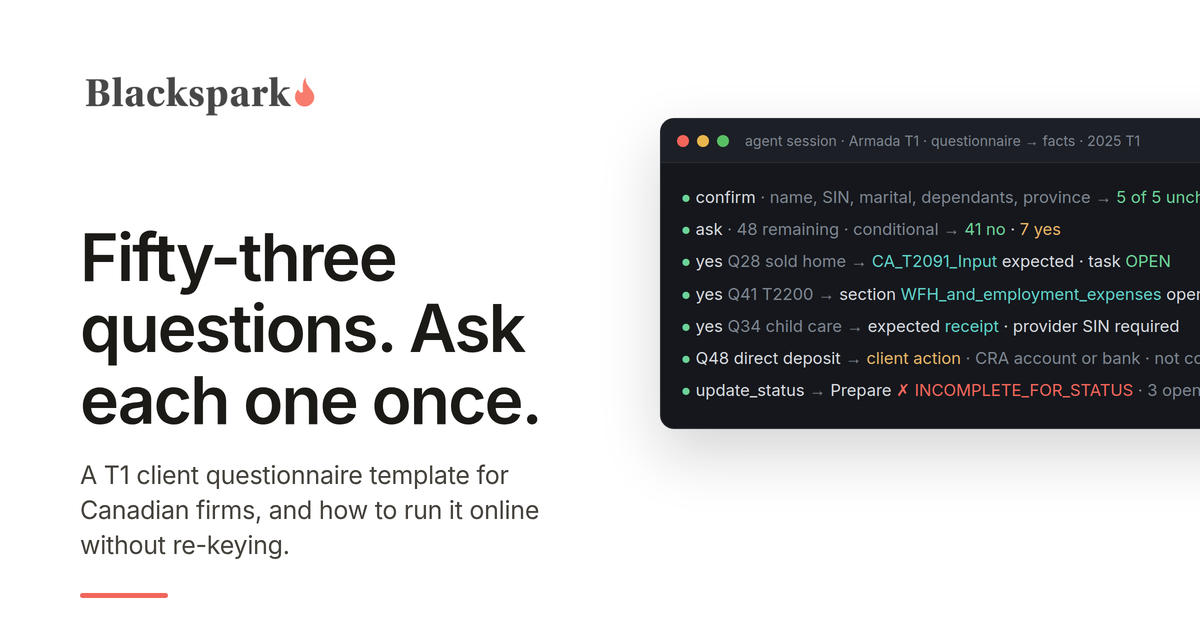
A T1 client questionnaire has one job that no slip, receipt, or CRA download can do: it captures the facts about the client's year that only the client knows. Did you get married. Did you sell the condo. Did your employer sign a T2200. Did you spend 130 days in Florida. Every one of those answers decides whether a schedule exists on the return, and every one of them is invisible to Auto-fill my return and to the pile of documents in the portal.
This is the template we would hand a Canadian firm that asked for one, written for the 2025 tax year. It is in client language, ordered the way intake actually runs, and built so that a "yes" produces a specific follow-up rather than a paragraph of instructions. Copy it, cut what your client base never triggers, add your province's items, and then read the second half, which is about how to run it online without turning the answers into a PDF somebody has to re-key.
The document list (which slips and receipts to send) is a separate thing and lives in our T1 intake checklist. The two go together: the checklist collects documents, the questionnaire collects facts. Both are also available in one editable Word document: download the T1 Client Intake Kit.
The template
Each question is yes or no unless it asks for a value. Where a "yes" needs more, the follow-up is written right after it. Questions marked "confirm" should be pre-filled from last year's file and confirmed, not asked fresh. "2025" means the calendar year January 1 to December 31, 2025, unless a question says otherwise.
1. About you
1. Your full legal name as the CRA has it, date of birth, and social insurance number. (confirm)
2. Your current mailing address. Did it change during 2025? If yes: the date you moved.
3. The email address and mobile number you want us to use for questions and for your documents.
4. Your occupation. (confirm)
5. Are you a Canadian citizen? (confirm)
6. Are you, or is anyone in your household, also a citizen or permanent resident of a country other than Canada, including the United States? If yes: which country, and for the US, whether you hold citizenship or a green card.
2. Your household
7. Your marital status on December 31, 2025. (confirm) Did it change during the year? If yes: the new status, the date, and a copy of any separation agreement or court order.
8. Your spouse or partner's full name, date of birth, and SIN. (confirm) Are we preparing their return? If no: their net income for 2025.
9. Do you have dependants (children or other relatives who rely on you)? If yes, for each: name, date of birth, relationship, whether they lived with you, and their income for 2025 if any. (confirm)
10. Does anyone in your household have a disability tax credit certificate (Form T2201) approved by the CRA, or should one be applied for? If yes: who.
11. Did you support a spouse, partner, child, parent, or other relative who depends on you because of a physical or mental impairment, whether or not they have a disability tax credit certificate? If yes: who, and their income for 2025.
12. Did you pay or receive spousal or child support during 2025? If yes: amounts paid and received, and a copy of the agreement if it is new or changed.
3. Where you lived and worked
13. Which province or territory did you live in on December 31, 2025? (confirm) Did you live in more than one during the year? If yes: the move date.
14. Did you become a resident of Canada, or stop being one, during 2025? If yes: the date, and the country you came from or went to.
15. Did you spend time in the United States during 2025? If yes: roughly how many days in 2025, 2024, and 2023.
16. Did you have income from outside Canada (employment, pension, rental, investment, or business)? If yes: the country and type.
17. Was the total cost of investment property you held outside Canada more than $100,000 Canadian at any point in 2025? Count foreign bank accounts, foreign shares including US stocks held at a Canadian brokerage outside an RRSP, TFSA, or FHSA, foreign rental property, and money owed to you by non-residents. Do not count a vacation home you use yourself or anything inside a registered plan. If yes: we will check whether a foreign property reporting form applies to you; the year you first became a Canadian resident is exempt.
18. Do you own shares or units in a foreign corporation, trust, or partnership that is not publicly traded? If yes: which.
4. Your income in 2025
19. Were you employed during 2025? If yes: how many employers, and did any of them not issue a T4? If a slip is missing: ask the employer for it and check your CRA account, where employer-filed slips appear. If it still has not arrived when we are ready to file, send us your final pay stub for that employer and we will determine the amounts to report.
20. Did you receive Employment Insurance, CPP or QPP, Old Age Security, or a pension? (confirm)
21. Did you withdraw from an RRSP, RRIF, or First Home Savings Account? If yes: was any RRSP withdrawal under the Home Buyers' Plan or Lifelong Learning Plan?
22. Did you earn self-employment, freelance, contract, gig, or commission income? If yes: the nature of the work, whether you are registered for GST/HST, and whether you would like us to prepare that return.
23. Did you own a rental property? If yes: how many. Was any of it rented or offered for stays of less than 90 consecutive days (Airbnb, VRBO, and similar)? If yes: the dates it was rented or offered that way, whether that use was permitted where the property is, and the dates any required municipal or provincial licence, permit, or registration was in effect. Did you change a property from rental to personal use, or the reverse?
24. Did you have interest, dividends, or other income from investments held outside an RRSP, TFSA, or FHSA? If yes: at which institutions, and are any accounts held jointly? If joint: with whom, and in what proportion did each of you contribute the funds?
25. Did you sell, exchange, give away, or spend shares, funds, cryptocurrency, or other investments held outside a registered account during 2025? Exchanging one cryptocurrency for another, or paying for something with it, counts. If yes: which institutions or exchanges, and do you have a realized gain and loss report or your own records?
26. Did you exercise employee stock options or receive shares from your employer? If yes: details.
27. Did you receive income from a partnership, a trust, or an estate? If yes: which.
28. Did you receive any other income, including tips, honoraria, prizes, scholarships, research grants, or amounts from a former employer? If yes: what and from whom.
5. Your home
29. Did you or your spouse or partner buy a home during 2025? If yes: the closing date, and whether either of you lived in a home you owned at any time from 2021 to 2025. A home bought for a person who is eligible for the disability tax credit may qualify for the home buyers' amount even if you have owned before.
30. Did you sell a home during 2025 that you or your family lived in at any time while you owned it? If yes: the address, the year you bought it, the years you lived in it, the sale price, and whether you owned another home at the same time. A sale must be reported to keep the exemption, even when no tax is owed.
31. Did you start renting out a home you used to live in, or move into a home you used to rent out? If yes: the address and the date.
32. Did you sell a residential property in Canada, or sell or assign a right to buy one (such as a pre-construction contract), that you had held for less than 365 consecutive days? If yes: the details, including whether a life event (death, separation, job relocation, illness, insolvency) prompted the sale.
33. Did you move at least 40 kilometres closer to a new job, a business you run, or a school where you study full time during 2025? If yes: the addresses, the date, whether the move was for work or for full-time post-secondary study, and whether your employer reimbursed any costs.
6. Deductions and credits
34. Did you contribute to an RRSP between March 4, 2025 and March 2, 2026? If yes: to your own plan, a spousal plan, or both. Contributions made from January 1 to March 3, 2025 belong on the 2024 return; tell us if they were not claimed there.
35. Did you open your first First Home Savings Account, contribute to one, transfer money into one from an RRSP, or withdraw from one during 2025? If yes to any: which. Opening a first FHSA must be reported even if nothing was contributed. Only contributions made in 2025 count for 2025; there is no first-sixty-days rule for the FHSA. Your T4FHSA slip reports the amounts.
36. Did you pay for child care so that you or your spouse could work or study? If yes: the provider's name, address, and SIN or business number, the children's names, and the amount.
37. Did you, your spouse, or a dependant pay tuition to a post-secondary institution? If yes: which institution, whether it is in Canada, and whether the student wants to transfer unused amounts to a parent, grandparent, or spouse.
38. Did you pay interest on a government student loan? If yes: the lender.
39. Did you, your spouse, or your dependants have medical or dental expenses not fully reimbursed by insurance, including private health plan premiums? If yes: send the receipts with their payment dates and any insurer reimbursement statements. We will choose the twelve-month period ending in 2025 that gives the best claim; expenses already claimed on an earlier return cannot be used again.
40. Did you pay for attendant care or nursing home care for yourself or a dependant? If yes: for whom.
41. Did you make charitable or political donations that are not shown on your T4? If yes: which organizations. Were any donations made between January 1 and February 28, 2025 already claimed on your 2024 return under the extension? If yes: which; those cannot be claimed again.
42. Did you pay union or professional dues not shown on your T4? If yes: which organization.
43. Did you pay work expenses your employer did not reimburse, or work from home under an arrangement with your employer during 2025? A voluntary formal telework arrangement counts. If yes: describe the arrangement and roughly how many days you worked from home.
44. Has your employer completed Form T2200, Declaration of Conditions of Employment, for 2025? If yes: send it with your receipts. If no: ask your employer for it before sending receipts; most employment expenses cannot be claimed without it.
45. Did you pay interest on money borrowed to earn investment income, or fees for investment advice or management on an account outside an RRSP, TFSA, or FHSA? If yes: the lender or firm and the amount.
46. Did you pay legal fees to collect salary, wages, a pension, or support owed to you? If yes: the amount.
47. Did you pay for renovations to make a home more accessible for a senior or a person with a disability, or to build a secondary unit for a relative who is a senior or eligible for the disability tax credit? If yes: which, and the total cost.
48. Did you complete at least 200 hours as a volunteer firefighter or search and rescue volunteer during 2025? If yes: which organization.
49. What did you pay in property tax, or in rent, for your principal residence during 2025? (Used for provincial credits; skip if your province has none.)
50. Did you make any instalment payments to the CRA during 2025? If yes: the total.
7. Consents and CRA account
51. Is your CRA direct deposit set up and current? If not: since March 24, 2025 the CRA no longer accepts direct deposit enrolments or changes through tax preparers' EFILE software. You, or your legal representative, can set it up or change it in your CRA account, through your bank, or with the CRA's paper enrolment form. It is not required in order to file. Please do not send us bank details; we do not collect them.
52. If you file in a province or territory that takes part in the CRA's organ and tissue donation program (currently including Ontario, Nunavut, and, new for 2025, Alberta): may the CRA share your name and contact information with your provincial or territorial program so it can send you information about donation? This is consent to receive information, not registration as a donor.
53. If you are a Canadian citizen: may the CRA give your name, address, date of birth, and confirmation of Canadian citizenship to Elections Canada to update the National Register of Electors? If you are not a Canadian citizen, leave this blank.
54. Did you receive any letters or notices from the CRA during 2025, other than your notice of assessment? If yes: please send them.
55. Do we already have authorization to access your CRA account on your behalf? (confirm) If no: we will submit a request through the CRA's Represent a Client service, and you confirm it in your CRA account within 10 business days, after which it is cancelled. Or, if you prefer, give us details from a notice of assessment issued at least six months ago and sign a certification page, which we submit for you. Authorization lets us pull most of your slips directly.
8. Anything else
56. Did anything else happen in 2025 that you think might affect your taxes, or that you want to ask about? Free text.
That is fifty-six questions, and a salaried client with one T4 and no property should be able to answer them in under ten minutes, because most of them are one "no" and several are pre-filled confirmations. That is the test of a good questionnaire: fast for the simple file, thorough for the complicated one, and the same document for both.
Notice what the template does not ask
It never asks the client to type a dollar amount from a slip. There is no "if no slip, provide amount" line. If the client had employment income and no T4, question 19 sends them to the employer and to their CRA account for the slip, and, if it still has not arrived at filing time, asks for the final pay stub so the preparer can determine the amounts, which is what the CRA itself says to do. The difference is who does the estimating and from what: the preparer, from a document, not the client, from memory. The template asks for amounts only where the client is the source of truth (child care paid, property tax, instalments, support) and even those get reconciled to a receipt or a CRA account balance before they are entered.
It also never asks for banking details or for a SIN typed into a free-text box. SINs appear only as confirm fields, pre-filled from the file. Direct deposit details are not collected at all. That is a firm policy rather than a CRA rule, but the CRA change makes it an easy one: since March 24, 2025, enrolments and changes cannot be submitted through EFILE software, so a firm has no use for the information.
How to run it online
The questionnaire above works on paper. Most of its value shows up when it is run online, and there are three levels of "online," each fixing something the level below cannot.
Level one: a fillable form. A fillable PDF or a web form (Google Forms, Microsoft Forms, Typeform, Jotform) that emails the answers back. This fixes legibility and nothing else. Every client sees every question, the answers land in an inbox, and someone re-keys them. It is still an improvement over a Word document, and it is where most firms are.
Level two: an organizer with conditional logic and roll-forward. Practice management platforms such as TaxDome have organizers where a "no" on question 23 hides the rental follow-ups, last year's answers to the confirm questions are pre-filled, and completion is tracked per client. Karbon's client requests do a similar job in a task-shaped form. This fixes the two biggest complaints about questionnaires, length and repetition, and it gives the firm a status view. What it does not fix: the answers are still a form record. They do not become facts on the tax file unless someone moves them.
Level three: facts on the file. The questionnaire stops being a document and becomes the file's own set of facts, each recorded once with a date and a source ("client confirmed, March 3"), carried forward every year, and confirmed rather than re-asked. The question about a home sale is not a form field; it is a fact whose "yes" creates the expectation of a disposition record and a task to collect the details. The question about a T2200 is a fact whose "yes" opens the employment expense section and whose "no" closes it. This is what intake looks like when an AI agent runs it in Armada T1: the agent records the answers as structured facts, identifies which questions and documents are still open, routes each one as a task to the preparer or to the client, and never advances the file until the completeness check passes. We have shown the full loop for a firm whose practice management platform has an API and for one on Jetpack Workflow and Google Drive, with no API at all; the questionnaire is the same in both.
Whichever level you are at, three rules make the questionnaire work.
Ask once. Anything marked "confirm" should be pre-filled. A client who types their SIN and date of birth every year learns that the firm does not remember them, and a firm that re-collects a SIN through a form every year is creating a copy it now has to protect.
Every "yes" must go somewhere. A yes on question 30 should produce a request for the sale details, a yes on 36 a request for the child care receipt, a yes on 44 the expense schedule. If a yes only produces a tick in a box that a preparer reads in April, the questionnaire has captured the fact and then lost it.
Re-audit the questions every year. Credits expire and rules change. The list above reflects the 2025 tax year; the digital news subscription credit, for example, was only available for 2020 to 2024 and does not belong on a 2025 questionnaire, though it is still on many. Whoever owns the questionnaire should read the CRA's what's-new page each January before changing the year in the header.
What to do with the answers
Once the answers are in, the questionnaire's fifty-six facts collapse into a short set of consequences for the file: which sections exist (employment, self-employment, rental, capital dispositions, foreign reporting), which documents are expected beyond what Auto-fill my return will deliver, which follow-ups go to the client and which to the preparer, and which items need a human decision before anything is entered. That mapping is the real product of the questionnaire, and it is the part worth automating first, because it is the same for every client and it is where the "the questionnaire said yes but nobody noticed" errors come from.
If you are doing it by hand, the T1 intake checklist is the document side of the same process, and the tax organizer post covers the software options at each level. If you want to see the questionnaire run as facts on a file, with the follow-ups routed automatically, request access to Armada T1.
This post provides general information for tax professionals and is not tax, legal, or filing advice. The template reflects CRA rules for the 2025 tax year as published in September 2026 and should be adapted to your client base and province and reviewed each year. TaxDome, Karbon, and Jetpack Workflow are trademarks of their respective owners, and no partnership or endorsement is implied.
Tax Organizer Software in Canada: What It Does, Where It Breaks, and the Agent-Run Alternative
What tax organizer software actually looks like in Canada, the three jobs an organizer is for, the six places every version breaks, and what changes when an agent runs intake instead.
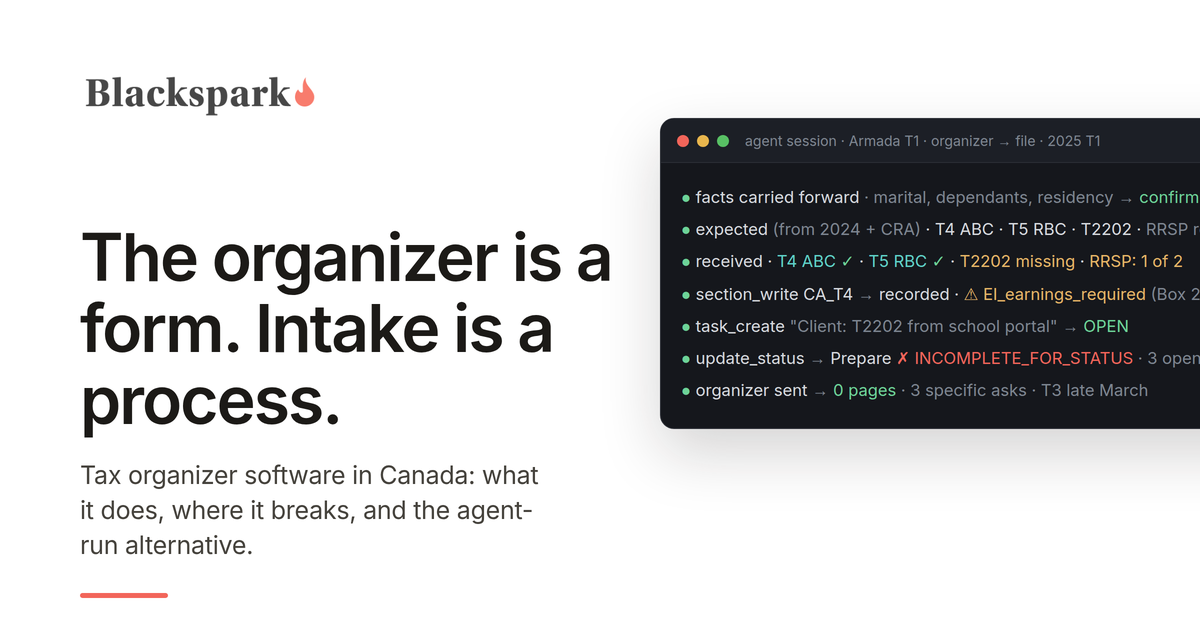
"Tax organizer" is an American term that Canadian firms adopted without the thing it originally described. In the US, the organizer is a document the tax software prints from last year's return: every slip and schedule the client had, pre-filled with prior-year amounts, with a blank column for this year. In Canada, what most firms call an organizer is a questionnaire the firm wrote itself, a document list, and a portal or an inbox to receive it all. The word survived; the automation mostly did not.
This post is for firms searching for tax organizer software in Canada, or for an alternative to the organizer they have. It covers what the options actually are, the three jobs an organizer is supposed to do, the places every version breaks, and what changes when the organizer stops being a form and becomes a set of facts on the file that an AI agent keeps current.
What organizer software looks like in Canada today
There are four shapes, and most firms run a mix.
The firm-made document. A fillable PDF or Word file, typically six to eight pages: identity and household, consents, a checkbox list of slips and receipts, and worksheets for employment expenses, rental, and self-employment. It goes out by email in January or February and comes back attached to a reply, or not. This is still the most common organizer in Canadian practice, including at firms with sophisticated software elsewhere in the stack, because it is the only version that asks exactly the questions the firm wants asked.
Letter templates in the tax software. Canadian T1 packages generate client correspondence from the prior-year file. TaxCycle, for example, ships pre-season letter templates built from the carried-forward return, and its TaxFolder portal lets the preparer trigger an "ask client to upload documents" email from inside the return. This is the closest Canada gets to the American pre-filled organizer, and it is closer than most firms realize, but the request is still a letter and the response is still a pile of uploads.
Organizers inside practice management. TaxDome's organizers are digital questionnaires with conditional logic (answers determine which questions appear next), roll-forward of last year's answers so the client is not re-entering static facts, and document upload inside the form, with the firm notified on completion. Karbon's client requests do the same job as a task-shaped conversation: each requested item is tracked to a client response, with automatic reminders. These are real improvements over the PDF, and they are the reason "organizer" and "intake" now show up as the same search.
The CRA itself. Once a firm holds a representative authorization, Auto-fill my return delivers most employment, pension, benefit, and investment slips, plus carryforwards, once the CRA has processed them, which the CRA says is generally by mid-March. This quietly replaced half of what the organizer used to collect. It did not replace the other half: the CRA can only serve what it has, T3s and late-issued slips arrive after the mid-March mark, and receipts for RRSP contributions, medical, donations, child care, and every fact that is not on a slip still come from the client.
The three jobs an organizer is for
Strip away the format and an organizer does three things.
It tells the client what to gather. That is the checklist half, and it works best when it is specific to the client (last year you had a T4 from ABC, a T5 from RBC, and a T2202; do you have them again?) rather than generic.
It captures the facts no document carries. Marital status changes, dependants, a home sold, a business started, days in the United States, whether a short-term rental was licensed, whether the client wants direct deposit. These are the questions that decide which schedules exist, and they only come from asking.
It gives the firm a status view. Who has sent what, who has not started, which files can move. In a firm of any size this is the job that matters most in March, and it is the job the PDF does worst.
Where organizers break
Every version above breaks in the same six places. Better software moves the break, it does not remove it.
It asks everyone everything. A static questionnaire has to cover the whole client base, so a salaried employee with one T4 receives eight pages of rental schedules and foreign-property warnings. Conditional logic fixes this within the form. It does not fix the deeper version of the problem, which is that the form does not know what the client had last year unless someone tells it.
The answers land as a document, not as data. A completed organizer is a PDF, or a form record in a portal. Somebody reads it and re-keys the facts into the tax file. The organizer and the return never agree by construction; they agree because a person made them agree, in March, under load.
It cannot tell "sent" from "correct." The client ticks T5 and uploads a T5. Nothing checks that it is this year's T5, from the payer the client had last year, with a joint-account split confirmed. A T4 arrives with boxes 24 and 26 blank and passes straight through. The line "if no slip, provide amount" appears on organizers precisely because the form has no way to refuse an unsupported number.
It drifts. A firm-made organizer is maintained by search-and-replace. The tax year in the header changes every January; the credits list is re-read less often. The digital news subscription credit, for instance, was only available for the 2020 to 2024 tax years and is still appearing on organizers sent out for 2025. Static documents accumulate errors nobody owns.
Organizer complete is not file complete. The organizer goes out in January. Auto-fill data is usable in mid-March. T3s arrive at the end of March. RRSP receipts for first-sixty-day contributions come separately. A file whose organizer came back on February 10 is not ready; it is waiting on three things that have nothing to do with the client's diligence, and the organizer has no way to represent that.
It cannot chase. Completion is a state; completeness is a process. The gap between "the client returned the organizer" and "every item the return needs is in hand and verified" is where tax season staff time actually goes, and the organizer, in any format, stops at the first state.
What to look for if you are buying
If you are evaluating tax organizer software for a Canadian firm, the checklist is short and the order matters.
Roll-forward from the prior year, so the request is specific to the client rather than generic. Conditional logic, so the client sees only what applies. Document upload attached to the item that requested it, with item-level status, not a shared drop folder. Answers stored as structured facts that can flow into the tax file, not as a PDF to be re-keyed. Reconciliation against what the CRA already has, so the client is only asked for what Auto-fill cannot supply. Gap tracking with an owner and a due date for every missing item, and a definition of "complete" that the file enforces rather than a person remembers. And, increasingly, an interface an AI agent can use, meaning an API or an MCP server, because the firms getting the most out of intake this year are not the ones with the best form; they are the ones where an agent runs the process.
Most products on the market do the first three well. Very few do the last four.
The agent-run alternative
Here is what intake looks like when the organizer is not a form.
The questions in the organizer become facts on the tax file: marital status, dependants, residency, the yes-or-no life events, each recorded once with a date, carried forward, and confirmed rather than re-asked. The document list becomes the file's own expectation of what it needs, seeded from last year and from what the CRA has already delivered.
An AI agent watches where documents arrive, whether that is a portal, a practice management system, or a shared Google Drive folder. It classifies each document from its content, records the figures as validated section records in Armada T1 with the source stored alongside, and reconciles against what the file expected. Unknown fields are rejected by name. A T4 with box 24 blank is recorded with a rule violation attached, so it is in the file with its gap visible instead of silently incomplete.
Every gap becomes a task with an owner. Where the firm's practice management platform has client requests, the client gets a specific ask ("box 24 and 26 from your ABC T4") rather than a reminder to "complete your organizer." Where it does not, the preparer gets the task and sends the follow-up by email or text. The T3 that has not arrived yet is a tracked item, not a surprise.
The file cannot move to "ready to prepare" until a completeness check passes, and the check names every open item when it refuses. When it passes, calculation and filing happen in the firm's CRA-certified tax software, as they always have. Armada T1 does not calculate or EFILE returns; it does the preparation work that comes before, and it does it in a way an agent can run and a firm can audit.
We have shown this end to end for a firm on a practice management platform with an API and for a firm on Jetpack Workflow and Google Drive, which has no API at all. The organizer did not disappear in either case. It stopped being a document the client fills in and became a list the system keeps.
T1 organizer alternatives in Canada, in one paragraph
If your organizer is a PDF and you want the least disruptive step up, an organizer with conditional logic and roll-forward inside a practice management platform such as TaxDome removes the "asks everyone everything" problem and gives you a status view. If your practice runs on Karbon, client requests do the tracking job well and are worth using before buying anything else. If you are on TaxCycle, the pre-season letters and TaxFolder upload requests are already generating client-specific asks from the prior-year file, and Auto-fill my return is the biggest organizer upgrade available to any firm that has not yet put representative authorizations in place. And if you want the organizer to stop being a form at all, and to have intake run itself with validation and gap tracking underneath, that is what Armada T1 is built for. If you are starting from scratch, the T1 intake checklist has a client-facing list you can copy today and the firm-side checks the software should be doing for you. The checklist and the questionnaire are also available together as an editable Word document, the T1 Client Intake Kit, if you want a working organizer today rather than software.
If you want to see an agent run intake against your own files, request access.
This post provides general information for tax professionals and is not tax, legal, or filing advice. Product descriptions reflect vendor documentation and CRA guidance as published in September 2026. TaxDome, Karbon, TaxCycle, TaxFolder, and Jetpack Workflow are trademarks of their respective owners, and no partnership or endorsement is implied.
T1 Intake Checklist for Accounting Firms: The List You Give Clients, the Checks You Run When It Arrives, and What an AI Agent Does With Each
A T1 intake checklist in two layers: the plain-language list a firm gives clients, and the checks a preparer runs on each slip and receipt when it arrives. Then what changes when an AI agent runs the second layer.
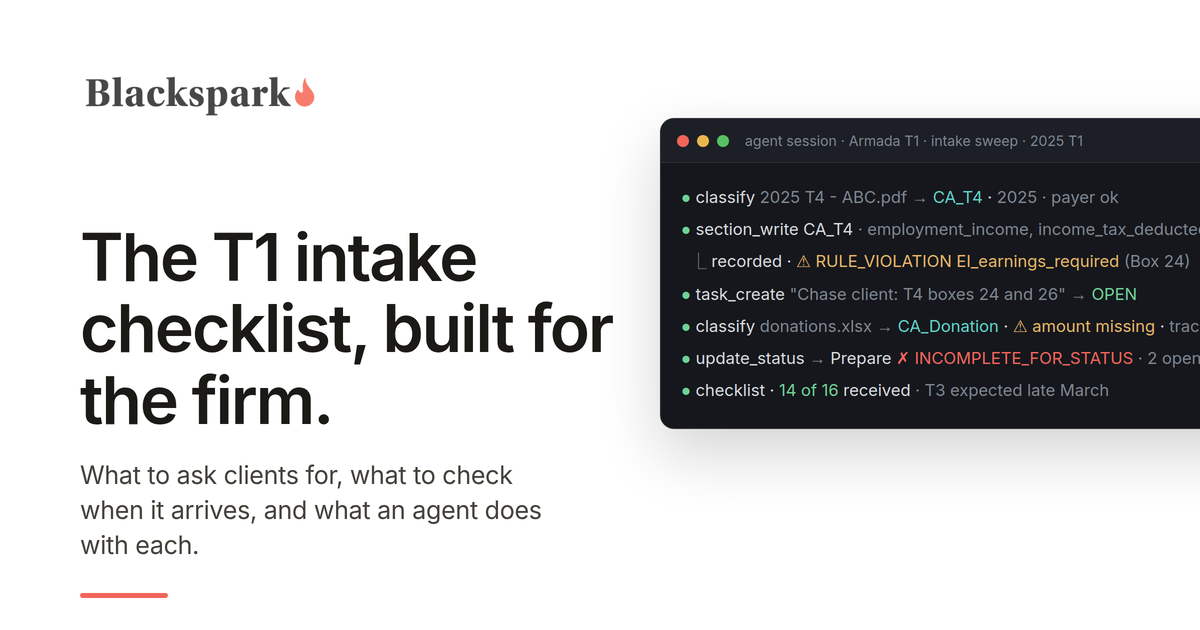
Most T1 checklists online are written for the taxpayer. The ones firms actually use are two lists that have grown together over years of tax seasons: a client-facing organizer that says "send us these," and an unwritten firm-side list of what to check when each item shows up. This post separates them on purpose. The first part is a client checklist you can lift into your own organizer, in plain language, with no box numbers. The second is the firm's layer: what a preparer verifies on each document before it becomes a number in a file. The third is what changes when an AI agent runs that second layer for you.
Part one: the client checklist
Written to be copied, for the 2025 tax year. Trim it to your client base and add your province's specifics. "2025" means January 1 to December 31, 2025, unless an item says otherwise.
Or download the editable Word version, which has this checklist and the 56-question questionnaire in one document.
About you and your household
Your legal name as the CRA has it, date of birth, social insurance number, current address and the date you moved there, and the phone number and email you want us to use. Your occupation. Your marital status on December 31, and if it changed during the year, the date and a copy of any separation agreement. Your spouse or partner's name, date of birth, SIN, and their net income for the year if we are not preparing their return. For each dependant: name, date of birth, relationship, their income if any, and whether they have a disability tax credit certificate (Form T2201) approved by the CRA. Whether you supported a relative who depends on you because of a physical or mental impairment, with or without a certificate. Whether you are a Canadian citizen, and whether you, your spouse, or a dependant is also a citizen or permanent resident of another country, including the United States, or spent significant time there; there are separate filing questions we will walk through with you.
CRA administration
Your prior-year notice of assessment or reassessment. Any letters from the CRA during the year. Instalment payments you made and the CRA's instalment reminder. Whether your CRA direct deposit is set up and current; since March 24, 2025 the CRA no longer accepts enrolments or changes through tax preparers' EFILE software, so you or your legal representative set it up in your CRA account, through your bank, or with the CRA's paper form, and we do not collect bank details. Your answers to the consent questions on the return: if you are a Canadian citizen, whether the CRA may give your name, address, date of birth, and citizenship confirmation to Elections Canada, and, in provinces and territories that take part (including Ontario, Nunavut, and, from 2025, Alberta), whether the CRA may share your contact information with the organ and tissue donation program so it can send you information. And if we do not already have it, authorization for us to access your CRA account on your behalf: we request it through Represent a Client and you confirm it in your CRA account within 10 business days, or you give us details from a notice of assessment at least six months old and sign a certification page. Authorization lets us pull many of your slips directly.
Income slips
Send every slip you received, even ones you think do not matter. Employment (T4). Pension, retirement, and other income (T4A). Canada Pension Plan (T4A(P)) and Old Age Security (T4A(OAS)). Employment Insurance (T4E). RRSP and RRIF withdrawals (T4RSP, T4RIF). First Home Savings Account (T4FHSA). Investment income (T5), trust and mutual fund income (T3), securities sold (T5008), and partnership income (T5013). Any US slips (W-2, 1099, 1042-S). If you live in Quebec or worked there, the Relevé slips as well. If you had employment income with no slip, ask the employer for it and check your CRA account, where employer-filed slips appear; if it still has not arrived when we are ready to file, send us your final pay stub and we will determine the amounts to report.
Investments and property
For anything you sold, exchanged, gave away, or spent during 2025 that was not inside an RRSP, TFSA, or FHSA (shares, funds, real estate, cryptocurrency including one coin exchanged for another, private company shares): what it was, when you bought it, what you paid, what you received, and the costs of buying and selling. Your broker's annual realized gain and loss report if you have one. Whether you sold a home you or your family ever lived in while you owned it, or changed a home from personal use to rental or the reverse. Whether you sold a Canadian residential property, or sold or assigned a right to buy one, that you had held for less than 365 consecutive days. Whether the total cost of investment property you hold outside Canada (foreign bank accounts, foreign shares including US stocks held at a Canadian broker outside a registered plan, foreign rental property, money owed to you by non-residents; not a vacation home you use yourself) was more than $100,000 Canadian at any time in 2025. Any interest in a foreign corporation or trust that is not publicly traded. Any stock options exercised.
Self-employment and rental
For a business or professional practice: your bookkeeping export or financial statements, bank and credit card statements for the business, your GST/HST registration number and whether you want us to prepare that return, capital assets bought or sold, a vehicle log with total and business kilometres, and your home office square footage. For a rental property: the address, who owns it and in what percentage, days of personal use, gross rents, expenses by category, capital improvements, and the purchase or sale documents if you bought or sold it this year. If any of it was rented or offered for stays of less than 90 consecutive days (Airbnb, VRBO, and similar): the dates it was offered that way, whether that use was permitted where the property is, and the dates any required municipal or provincial licence, permit, or registration was in effect.
Receipts for deductions and credits
RRSP contribution receipts for March 4, 2025 to March 2, 2026 (the deadline moved to March 2 because the sixtieth day fell on a Sunday), any Home Buyers' Plan withdrawal or repayment details, and whether you opened your first FHSA, contributed to one, or transferred into one during 2025, since opening one must be reported even with no contributions. Union and professional dues not already on your T4. Child care receipts showing the provider's name, address, and SIN or business number. Spousal or child support paid or received, with the agreement if it is new or changed. Interest paid on money borrowed to invest, and investment advice or management fees on non-registered accounts. Moving expenses if you moved at least 40 kilometres closer to a new job, a business you run, or full-time post-secondary study. Legal fees paid to collect salary, pension, or support owed to you. If you paid work expenses your employer did not reimburse or worked from home under an arrangement with your employer (a voluntary formal telework arrangement counts): the receipts, your home office details, and Form T2200 completed by your employer, which most of these claims require. Tuition certificates (T2202, or TL11A for a university outside Canada), student loan interest statements, and whether a student wants to transfer unused tuition to a parent or spouse. Official receipts for charitable and political donations, and a note of any donations made between January 1 and February 28, 2025 that were already claimed on your 2024 return under the extension, since they cannot be claimed again. Medical expense receipts with payment dates, including private health plan premiums and any insurer reimbursement statements, so we can choose the twelve-month period ending in 2025 that gives the best claim, and attendant care details if applicable. Whether you or your spouse bought a home during 2025, and whether either of you lived in a home you owned at any time from 2021 to 2025; a home bought for someone eligible for the disability tax credit may qualify for the home buyers' amount even if you have owned before. Receipts for home accessibility or multigenerational home renovation work. Whether you completed 200 or more hours as a volunteer firefighter or search and rescue volunteer. Your property tax bill or total rent paid, for provincial credits.
Questions about your year
Yes or no, and details where yes. Did you get married, separate, or have a child? Did anyone in the household become disabled, start post-secondary education, or turn eighteen? Did you move, or change province? Did you arrive in or leave Canada? Did you buy a home, sell a home you ever lived in, or start renting out a home you used to live in? Did you start or stop a business, a rental, or a side income? Did you work from home under an arrangement with your employer, and has your employer completed a T2200? Did you receive income from outside Canada? Did you make instalment payments? Did you exercise stock options, or receive employee shares? Did you withdraw from an RRSP under the Home Buyers' Plan or Lifelong Learning Plan? Did you contribute more to your RRSP or TFSA than your limit?
That is the client list. Everything below it is the firm's job.
Part two: what the firm checks when each item arrives
This is the layer no organizer prints and every experienced preparer carries in their head. It is where intake succeeds or fails, and it is the part an agent can take over.
Authorization first. A representative authorization on file means most employment, pension, benefit, and investment slips can be pulled through Auto-fill my return before the client has finished reading the checklist. Reconcile what the client sends against what the CRA has; the differences are the interesting part.
T4: boxes 24 and 26. Employment income, contributions, and tax deducted are rarely wrong. EI insurable earnings (box 24) and CPP or QPP pensionable earnings (box 26) are the two boxes most often left blank on employer-prepared slips, and the CRA requires them whenever boxes 18 or 16 have an amount. A T4 with either blank is a gap to chase, not a slip to enter. From 2024, boxes 16A and 17A carry the second CPP or QPP contributions; older templates that do not have a place for them will lose the number.
T4A: what kind of income. An amount in the fees-for-services or commissions box means self-employment income and a T2125, whatever the client ticked on the organizer.
T3: not yet. Trusts and funds have 90 days after year-end to issue T3s, so they routinely arrive at the end of March. A file that looked complete on March 10 and holds a mutual fund account is not complete; the check is "does this client have an account that will produce a T3," not "did a T3 arrive."
T5008: box 20 is not the cost base. The CRA's own T5008 guide says the cost or book value in box 20 may not reflect the investor's adjusted cost base, and on many broker slips it is blank. Proceeds without a verified cost base are a gap. The broker's realized gain and loss report or the client's purchase records fill it.
Joint accounts. T5s and T3s on joint accounts are issued in one name. The split follows who contributed the funds, and it has to be asked, not assumed from whose name is on the slip.
T4FHSA is the receipt, and opening counts. The slip reports the year's FHSA contributions and transfers; the deduction is claimed through Schedule 15, and a client who opened their first FHSA in 2025 has to file the schedule even with no contributions. There is no first-sixty-days rule for the FHSA. Asking the client for a separate FHSA contribution receipt sends them looking for something that does not exist.
RRSP: two receipt periods and an exact date. For the 2025 return the window is March 4, 2025 to March 2, 2026 (the sixtieth day was a Sunday, so the deadline moved to Monday). Contributions in the remainder of the calendar year and contributions in early 2026 come on separate receipts, and the second batch is the single most common missing document in April. Early-2025 contributions already reported on the 2024 Schedule 7 are not reported again.
T2200 before expenses. For nearly every employment expense the CRA requires the client to keep a completed T2200 from the employer. No T2200, no expense review; that check comes before the receipts, not after. A voluntary formal telework arrangement satisfies the "required to work from home" condition, so ask about the arrangement and the form separately.
Child care receipts must identify the provider. Name, address, and SIN or business number. A receipt without them will not survive review.
Donations: check the 2024 extension. Gifts made up to February 28, 2025 could be claimed on the 2024 return; anything claimed there cannot be claimed again for 2025. Ask before entering January and February 2025 receipts.
Medical: the period ends in 2025. Any twelve months ending in the tax year, chosen by the preparer from the payment dates, with nothing already claimed on a prior return.
Principal residence sales must be designated. Since 2016 the exemption is only allowed if the disposition is reported and designated on the return, and a late designation can carry a penalty. "Did you sell a home" is a question on every file.
Property held under a year. A residential property, or a right to buy one, sold after less than 365 consecutive days is generally taxed as business income, not a capital gain, unless a life-event exception applies. Assignment sales count. The question has to be asked before the lawyer's statement is entered as a disposition.
Short-term rentals. For stays of less than 90 consecutive days, expenses for any part of the year the property was not compliant with local licensing, permit, and registration rules are denied in proportion to the non-compliant days. The year-end relief that deemed a property compliant for all of 2024 does not apply to 2025, so the dates matter, not just a yes or no.
T1135 is its own deadline. Specified foreign property with a total cost over $100,000 at any time in the year triggers the form, and the penalties for missing it run separately from the return. US stocks in a Canadian non-registered account count; the same stocks inside an RRSP or TFSA do not, nor does personal-use property such as a vacation home, and the year a client first became resident is exempt. The client answers the cost question; the preparer decides whether the form applies.
Provincial inputs. Rent or property tax for the Ontario Trillium Benefit and similar credits elsewhere; each province adds two or three items to the list, and they change more often than the federal ones.
Audit the list itself every year. Credits expire. The digital news subscription credit, for example, was only available for the 2020 to 2024 tax years, yet it is still on organizers being sent out for 2025 because somebody updated the year in the header and nobody re-read the credits page. A checklist maintained by search-and-replace drifts.
Part three: what an AI agent does with each item
Everything in part two is a rule. Rules are what agents run well, provided the system underneath them refuses to be sloppy on the agent's behalf. Here is how that works in Armada T1.
Every document is classified before it is read. A T4 is a T4 for a specific employer and a specific year. A slip for the wrong year, or for a client with the same name, is held and flagged rather than recorded. The agent works from the document, not the filename or the checkbox the client ticked.
Every number is validated at the point of entry. A T4 is recorded as a structured section record, not a PDF in a folder. Fields the section does not have are rejected by name. A blank box 24 or box 26 produces a rule violation attached to that record, so the slip is in the file with its gap visible rather than silently incomplete. Every figure stays linked to the stored source document it came from.
Every gap becomes a tracked item with an owner. The missing box, the charity with no amount, the T5008 with no cost base, the T3 that has not arrived: each becomes a task. Client-held gaps route to the preparer to chase by email or text, or to the client directly where the firm's practice management platform has client requests. Judgment calls stay with the preparer as notes, not tasks.
The file cannot advance past what the data supports. Moving a file to "ready to prepare" runs a completeness check that names every open item. If it refuses, that is the system working. When the last gap closes, the file moves, and calculation and filing proceed in the firm's CRA-certified tax software exactly as they always have. Armada T1 does not calculate or EFILE returns; it does the preparation work that comes before.
Every run is repeatable. When new documents arrive, the agent recognizes what it has already processed, records only what is new, and resolves the gaps the new documents fill. The second run in late March, when the T3s land, is cheaper than the first run in February, not a repeat of it.
The client list stops being a PDF. The questions in part one become facts on the file, asked once and recorded with a date, so nobody asks them again in April, and the list itself lives in one place where retiring an expired credit is one edit rather than a re-issued document.
We have written up two of these builds in detail: one for a firm whose practice management platform has an API, and one for a firm on Jetpack Workflow and Google Drive, which has no API at all. The checklist is the same in both; only the plumbing differs.
Using this checklist
Take part one, trim it, add your provincial items, and send it however your clients answer best. Keep part two for the preparers, and decide who runs it. If the answer is still a staff member with a spreadsheet and an inbox, the T1 client intake post covers why that breaks under volume and what to look for instead. If you want to see an agent run part two against real slips, with the validation and the gap tracking underneath it, request access to Armada T1.
This post provides general information for tax professionals and is not tax, legal, or filing advice. Slip box numbers, forms, and thresholds reflect CRA guidance for the 2025 tax year as published in September 2026; confirm current-year rules against the CRA's own publications before relying on them.
Jetpack Workflow and Google Drive: T1 Intake Run by an AI Agent, No API Required
Jetpack Workflow has no published API. An AI agent still ran the full T1 intake loop across Google Drive, Jetpack Workflow, and Armada T1 - here is how, and what is harder without an API.
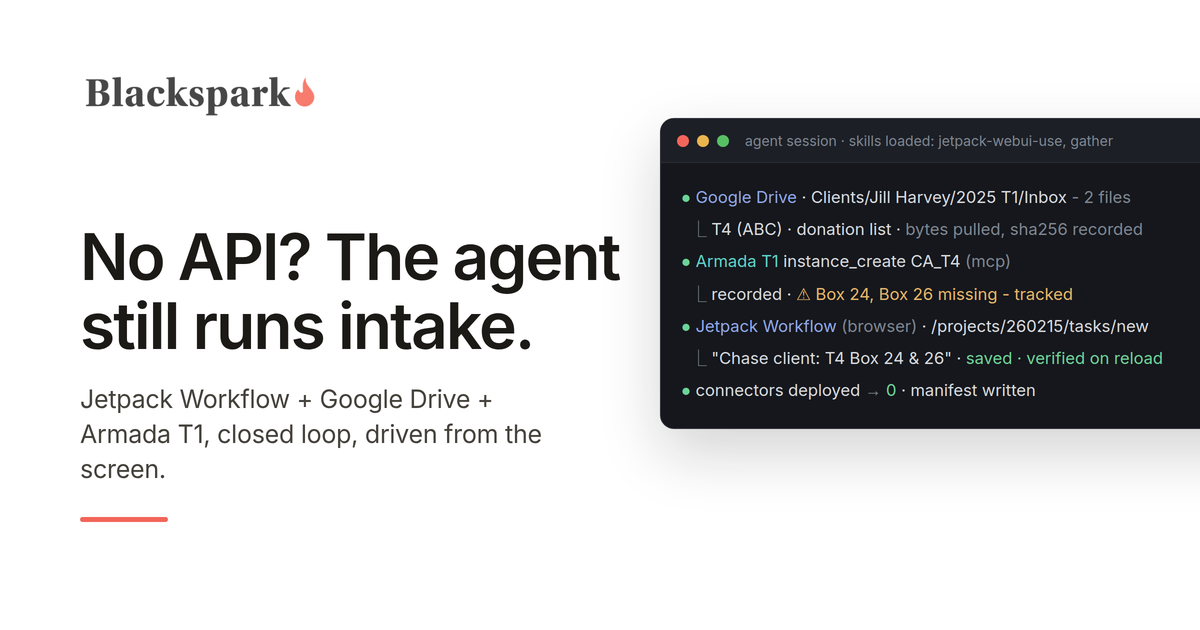
Last month we showed an AI agent running Canadian personal tax intake inside a firm's practice management platform: reading a client's T1-related slips and receipts from portal uploads, recording validated tax data in Armada T1, and chasing missing information, with Claude bridging that platform's API and Armada T1's MCP server. A natural objection followed: fine for firms whose practice management software has an API. What about everyone else?
So we ran the same job for a firm on Jetpack Workflow, which has no published API, exposes only client and job creation through Zapier, and stores no documents at all. The agent still closed the loop. Here is what we built, what it does, and what we learned - including the parts that are harder without an API.
The setup
The firm runs its practice on Jetpack Workflow's current web app: clients, projects from templates, tasks, comments. Client documents live in Google Drive, in a simple convention the firm already used: a folder per client, a folder per tax year, and an Inbox folder where the client's slips and receipts land. Armada T1 is the tax layer: the system of record for validated T1 data, source documents, open items, and completeness.
The agent is Claude, running in a Claude Cowork session on the preparer's own computer. It reaches Drive through the Google Drive connector included in the Claude desktop app, Armada T1 through its MCP server, and Jetpack Workflow through Claude's built-in browser, inside the preparer's logged-in session. The agent never handles credentials, never emails a client, and never advances a file past what the data supports.
The instruction was the same one as before: "Start preparing a T1 for Jill Harvey."
What the agent did
It verified all three systems first: confirmed its Armada T1 identity and which environment it was pointed at, confirmed the Drive account, and confirmed the Jetpack Workflow tab showed the firm's project list rather than a login page.
It found the client's 2025 T1 Inbox in Drive and listed every file in it. It read each document, pulling the raw bytes rather than the Google Drive connector's text extraction for anything with numbers in it (more on that below), identified a T4 and a donation list, and recorded them in Armada T1 as validated section records with the source document stored alongside each one.
It opened a 2025 T1 project in Jetpack Workflow from the firm's own template, renamed it for the client, and put the Armada T1 file link and the Drive folder link in the project description so a human landing on either system can find the other.
It ran Armada T1's completeness check and routed the gaps. The T4 was missing EI insurable earnings (box 24) and pensionable earnings (box 26); the donation list named a charity with no amount. For each, the agent created a task on the Jetpack Workflow project assigned to the preparer, with the Armada T1 task and record ids in the description, and a matching open item in Armada T1 pointing back at the Jetpack Workflow project and task. Judgment calls that did not need the client - a value that looked like a typo, a classification question - went into the project's comments instead, where they can be edited or retracted.
Then it wrote a small manifest file into the client's Drive folder: which files it processed, their hashes, and the ids of everything it created across all three systems. That file is what makes the next run cheap. When the agent ran again later that day, it read the manifest, recognized both documents as already processed, spot-checked Armada T1 against it rather than trusting it blindly, created exactly one new Jetpack Workflow task for a gap that had not yet been routed, verified it by reloading the page, and moved on.
And it closed the loop in the other direction: on each run it reads the Jetpack Workflow project page and, for every task the preparer has completed since the last sweep, resolves the matching item in Armada T1.
What is different without an API
Three things, and they are worth being precise about.
Jetpack Workflow cannot talk to the client. A platform with client requests lets the agent send the client a specific ask ("box 24 and 26 from your ABC T4") through the portal. Jetpack Workflow has no client portal and the agent does not send email, so a client-held gap becomes a task for the preparer to chase. The agent still finds the gap and still tracks it to closure; the preparer sends the follow-up.
Jetpack Workflow holds no documents. Drive is the shoebox. That turned out to be a reasonable arrangement - stable file ids, one-call folder listings, raw bytes on demand - with one catch: the Google Drive connector's text extraction scrambles slip layouts and loses the pairing between a box number and its value. So the rule became: the Google Drive connector's text is fine for "is this a T4, which year, which employer," and never the source of a number. For anything the agent will write into a tax record, it downloads the bytes and reads them itself.
Every Jetpack Workflow write is a screen interaction, and screens lie a little. The agent works from a map of the app - which controls are real form fields and which are styled widgets over hidden ones, that the due date is a calendar you have to click through, that the task panel has a Save button and so does the page behind it, that the comment box silently refuses a value that was set rather than typed. The operating rule that came out of this: after every write, reload the page and read the result back. A duplicate project in a firm's system of record is a mess; a page load is cheap.
None of this stopped the integration. It shaped it. Screen-driving is the weakest form of what we have been calling agent-mediated integration - slower per action, more brittle against redesigns, and harder to scope than an API - and it still ran the full loop. The connector does not need to exist for the agent to be the integration.
The integration artifact is still a document
As with the first build, nothing was deployed. The integration lives in two plain-language skills the agent loads when the task calls for them. One is a map of Jetpack Workflow's web app: routes, controls, quirks, the one silent failure, and how to read task state back (it is not exposed where you would expect; the agent reads it from a hidden form field, inverted, but deterministically). The other is the orchestration across Drive, Jetpack Workflow, and Armada T1: the verify-first rule, read-only Drive, verify-every-write, the manifest, and how to route gaps.
That split matters. The Jetpack Workflow map is reusable by any agent doing anything in Jetpack Workflow. The orchestration is what makes the three systems behave as one workflow. When Jetpack Workflow changes a screen, someone updates a paragraph in the first file, not code in a pipeline.
A second run also surfaced a design question the first run had left to judgment: Armada T1's completeness check lists every unfilled identity and residency field on a new file, not just gaps in the documents the agent processed. Turning twenty-three of those into Jetpack Workflow tasks would have buried the two that mattered. The rule is now explicit - route a gap only when it is anchored to a document this workflow handled; report the rest in one paragraph and offer a single interview task. That is the kind of rule that only gets written after watching an agent almost do the wrong thing, which is exactly why the second run was the useful one.
Why the governance underneath is what made this safe
Everything above depends on Armada T1 refusing to be sloppy on the agent's behalf. Unknown fields are rejected by name, never silently dropped. A missing box stays a tracked gap with a rule violation attached, not a number the agent guessed. The move to "ready to prepare" is refused by a completeness gate that names what is missing. Every recorded figure links to the stored source document. Only a human closes a blocking item. When the agent's only interface to the firm's practice management system is a screen, the layer it writes tax data into cannot also be improvised. We have written about what happens when it is.
What this means for firms
If your practice runs on Jetpack Workflow and your documents live in Google Drive, an agent can run your T1 intake today: read what arrives, record it as validated data with provenance, open the project, route the gaps to the right person, and keep the two systems reconciled. If your documents live in Dropbox, OneDrive, or another shared folder instead, the same workflow applies with small changes to the document step; nothing about the pattern depends on Drive. The preparer's job becomes the client follow-up and the judgment, not the data entry and the tracking.
If you want to see it on your own files, request access. And if your practice runs on something else entirely, that is mostly a question of writing the map.
This post provides general information for tax professionals and is not tax, legal, or filing advice. Agent behaviour verified against live Jetpack Workflow, Google Drive, and Armada T1 environments, September 2026; Jetpack Workflow is a trademark of Jetpack Workflow, Inc., and no partnership or endorsement is implied.
Agent-Mediated Integration: When the Agent Is the Integration
The agent is the integration. A precise definition of agent-mediated integration, the economics that make it inevitable for the long tail, and the governance it demands from systems of record.

There is a category of software integration that has quietly become possible in the last year, and it does not have a settled name yet. You will hear "agentic integration" and "agent-native" used loosely for anything AI-adjacent. We mean something narrower and more literal, and we have been calling it agent-mediated integration: two systems connected by an AI agent that reads and writes both directly, with no connector, no middleware, and no integration code running anywhere. The two systems never talk to each other. The agent carries the meaning between them.
We did not arrive at this as a theory. It fell out of a working project - an AI agent running T1 tax intake across a firm's practice management software and Armada T1, our tax workflow infrastructure. What we learned building it convinced us this pattern will replace a meaningful share of traditional integrations. The phrase itself has begun appearing in passing, with meanings ranging from agent-to-agent handoffs to anything MCP-adjacent - which is exactly why it needs a precise definition, before it dilutes into another synonym for "AI did something."
The definition
Agent-mediated integration: an integration in which an AI agent is the sole runtime connection between two or more systems, reading from and writing to each through their native interfaces (APIs, MCP servers), translating meaning and handling discrepancies by reasoning rather than by pre-written mapping code.
Three things have to be true for the term to apply. The systems do not communicate directly - there is no webhook from one to the other, no shared queue, no sync job. There is no deployed integration artifact - nothing is hosted, scheduled, or maintained as running code. And the mapping logic is reasoned, not written - the agent decides at execution time how a concept in one system corresponds to a concept in the other, guided by documentation rather than hardcoded field mappings.
If a connector moves the data and an agent merely triggers it, that is automation over a traditional integration. Useful, but not this.
How integrations have worked until now
Every conventional integration pattern shares one property: somebody writes and maintains code that encodes, in advance, how System A's data becomes System B's data. Point-to-point integrations encode it in a custom codebase. iPaaS platforms encode it in hosted workflow definitions. Native connectors encode it in a vendor's product roadmap. Even "no-code" tools encode it in brittle visual mappings that someone owns.
The costs are familiar to anyone who has operated one. The mapping is frozen at build time, so every edge case the builder did not anticipate becomes an error queue. Every API change on either side is a small crisis. The long tail of niche system pairs never gets connectors at all, because no vendor can justify building them. And the connector itself becomes infrastructure: monitored, patched, renewed, and owned by whoever has not managed to hand it off yet.
What changes when the agent is the integration
In an agent-mediated integration, the "integration logic" is a document, not a deployment. The agent is given access to both systems' interfaces and a plain-language brief - in our case an agent skill - describing what has been verified about how each system behaves: which endpoints do what, which fields matter, what the quirks are, what the rules of engagement are. When the task runs, the agent reads the current state of both systems and works out what to do.
This inverts the economics in three ways.
First, adaptation is free. Partway through our project we changed our approach to document storage. Nothing was redeployed, because nothing was deployed. The agent read the updated situation and adapted on the fly. When an API changes, you update a paragraph, not a codebase.
Second, comprehension is included. A well-designed API or MCP surface means the agent understands its job out of the box. Our agent handled the practice management platform's API quirks - undocumented behaviors that would each have been a support ticket in a connector build - by reading error responses and reasoning about them, in session.
Third, the long tail opens up. The economics of writing a connector require thousands of shared customers between two systems. The economics of writing a skill document require one afternoon and one use case. System pairs that would never justify a connector - a regional practice management tool and a niche tax platform, say - can now be integrated by any firm with an agent harness and API credentials.
The integration artifact is a skill
The durable output of an agent-mediated integration is worth dwelling on, because it is genuinely new. It is not code. It is a maintained, plain-language document - an agent skill - that records what has been verified about both systems: capabilities, quirks, gotchas, and the routing rules for judgment calls. Ours grew through four working sessions into a playbook that a fresh agent session can load and act on immediately, with no ramp-up.
This artifact has properties code never had. It is readable by the people who own the process. It is testable by running the agent against it. And it degrades gracefully: an outdated paragraph produces an agent that asks a clarifying question, not a 2 a.m. pager alert.
The worked example
We have published the full build separately: an AI agent running T1 client intake across a firm's practice management software and Armada T1, reading portal uploads, recording validated tax data, detecting what is missing, and sending clients specific follow-up requests - with the two platforms never exchanging a byte directly. The write-up, including what the agent did about a donation receipt that did not match the client's stated total, is here.
That project is where the observations above came from. It is one worked example, in one vertical. But nothing about the pattern is specific to tax.
What it requires from the systems
Here is the catch, and it is the part most discussions of agentic integration skip: agent-mediated integration works in proportion to how ready the systems are for it.
The interface should be real. Clean, documented APIs or MCP surfaces on both sides. An agent with browser or computer-use capabilities can operate a system through its screens, and sometimes that is the only option available. But it is the weakest form of the pattern: slower and costlier per task, brittle against every UI redesign, and hardest to govern, because a screen session exposes everything a human user could click rather than a scoped, permissioned set of operations. An API or MCP surface gives the agent structured state, typed operations, and machine-readable errors it can reason about - the difference between handing a colleague the books and having them read the ledger over your shoulder through binoculars.
And the governance has to live in the system, not the agent. This is the load-bearing requirement. An agent that writes into an ungoverned system will eventually write something wrong, and nothing will catch it. The system of record underneath the agent needs schema-level validation that rejects bad writes, permissions that bound what the agent may touch, provenance that links every recorded value to its source, and completeness gates that stop work from advancing on the agent's optimism. We have written before about what happens when you skip that layer. Agent-mediated integration does not relax those requirements; it makes them the whole ballgame, because there is no connector code to hide sloppy state behind.
This is the design principle behind Armada T1: agents operate, the platform governs. The API and MCP surface exists so that agents - ours, a firm's, or one inside a partner product - can be the integration, safely.
Where this is going
Advanced agentic engineering teams have been quietly running agent-mediated integrations for months. What changes now is that agent harnesses have gone mainstream: tools like Claude Cowork put a capable, skill-loading agent in front of every operations lead with API credentials. We expect the pattern to spread the way spreadsheets did - not through vendor roadmaps, but through individual teams discovering they can connect two systems in an afternoon.
Connectors still have their use-cases; high-volume, deterministic, latency-sensitive sync still belongs in code, for now. But the long tail of integrations - the hundreds of small, judgment-laden data flows inside every firm that were never worth a connector - now has a viable pattern. The systems that thrive in it will be the ones that made themselves agent-ready: real interfaces, governed records.
The integration used to be something you built between two systems. Increasingly, it is something you explain to an agent - and the quality of your systems of record determines whether that explanation is safe to act on.
T1 Client Intake for Accounting Firms: The Process, the Software, and What AI Agents Change
T1 intake is where tax season is won or lost. What a good intake process looks like, six things to demand from intake software, and how AI agents change the economics of the whole stage.
Ask a Canadian firm where tax season actually hurts and the answer is never the tax calculation. It's intake: getting each client's documents in, understanding what's there, noticing what's missing, chasing it down, and knowing - with confidence, across hundreds of files at once - which returns are ready to prepare and which are still waiting on a slip. Calculations are instantaneous; intake is weeks, and it's the stage where files stall, staff burn out, and errors are born.
This guide lays out what a good T1 intake process looks like, what to demand from client intake software, and how AI agents are changing the economics of the whole stage.
What a T1 intake process actually has to do
Strip away the tools and every firm's intake runs the same eight steps: open the engagement, request documents from the client, collect what arrives, identify each document, record its data, detect what's missing or inconsistent, follow up until the gaps close, and hand a complete package to preparation. Simple to list, brutal at volume - because steps three through seven don't happen once per client. Real intake is a long-running conversation. The client sends four documents in February, two more in March, and answers a question the day before the deadline. Multiply by five hundred clients and the real problem isn't any single step; it's state - knowing exactly where every file stands, every day, without anyone reconstructing it from an inbox.
Why the traditional toolkit breaks
Most firms run intake on email, a shared folder, a spreadsheet tracker, and a static client questionnaire. Each piece fails in a characteristic way. Email buries documents in threads and makes the follow-up trail personal to whoever sent it. Folders hold files but understand nothing about them - a folder can't tell you the T5 is missing. Spreadsheet trackers rot within weeks because they're updated by hand, by busy people. And the annual questionnaire under-collects by design: a static form asks everyone everything, gets skimmed, and still can't ask the one specific question that matters ("your donation list shows CityKidz with no amount - what was it?").
Client portals improved the collection step - documents arrive in one place, with reminders. But a portal is a mailbox with a checklist. It collects; it doesn't understand. Everything after upload - reading the slip, recording the data, spotting the gap, chasing it - is still people.
What to look for in T1 client intake software
Whether or not agents are on your roadmap, the evaluation checklist has changed. Six capabilities separate intake software from document storage:
A structured tax data model, not a file cabinet. The system should know what a T4 is - its boxes, its rules, its relationship to the return - so a document becomes recorded, validated data, not a PDF waiting for re-keying.
Validation at the point of entry. Required fields, cross-field rules, and slip-level checks should run when data is recorded, so problems surface in February, not at review in April.
Gap tracking as a first-class feature. "What's missing" should be a computed fact with an open item attached to the exact record - not a feeling, and not a column in somebody's spreadsheet.
Provenance on every number. Each recorded figure should link to the source document it came from, with the document stored alongside. This is what makes the file reviewable later without re-checking every line.
A completeness gate. The system - not the preparer's memory - should decide when intake is done: every applicable section addressed, every required field present, every open item closed, and a workflow status that won't advance until that's true.
Clean handoff. Intake feeds preparation. The output should be a structured, validated package your tax prep software and practice management stack can consume, not another folder.
The questionnaire, rethought
The static T1 questionnaire deserves its own funeral. Its replacement isn't a better form; it's gap-driven asking. When intake runs on a structured data model, the system knows precisely what's missing per client - so the client gets one short, specific request ("Box 24 and 26 from your ABC T4; the CityKidz donation amount and receipt") instead of a forty-question form. Specific asks get faster, better answers, and they stop training clients to ignore your emails.
What AI agents change
Intake is the most automatable stage of tax work, because most of it is reading, recording, comparing, and following up - exactly what modern AI agents do well. An agent can watch the portal, read each document as it arrives, record the data into the intake system, open the gap items, and send the specific follow-up request, running the whole loop daily across every client without fatigue.
But - and this is the part firms evaluating "AI intake" tools should press hardest on - the agent is the easy half. An agent with no governed system underneath will save extracted numbers into a spreadsheet, invent a value when a required field blocks it, and lose track of state between sessions. Everything in the checklist above is what makes agent-run intake safe: the data model gives the agent something structured to write into, validation catches its errors, provenance makes its work reviewable, gap tracking gives it honest ways to record what it doesn't know, and the completeness gate stops it - like any staff member - from calling a file done early.
Where Armada T1 fits
Blackspark builds Armada T1, agent-ready infrastructure for Canadian T1 workflows - the intake layer described above, exposed through APIs and MCP so AI agents can operate it under governance. The Canadian tax data model, field-level validation, document provenance, task tracking, and completeness gates are the platform; your agents (or your staff) do the work on top. Files hand off cleanly to the tax preparation and practice management software your firm already runs.
If you're rethinking intake for next season - with agents or ahead of them - request access on our homepage.
The bottom line
T1 intake is a state-management problem wearing a document-collection costume. Firms that treat it as filing - folders, emails, trackers - pay for it every March and April in overtime and missed slips. Firms that treat it as structured data with computed completeness get something new: an intake stage that can largely run itself, with people handling only the judgment calls. That's the standard to evaluate any intake solution against this year, because it's the standard AI agents are about to make normal.
Run Your Practice on Karbon? Your T1 Intake Can Now Run Itself.
An AI agent can now run T1 intake inside your existing Karbon workflow: reading portal uploads, recording validated tax data, and chasing missing info. Here's what we built and tested.
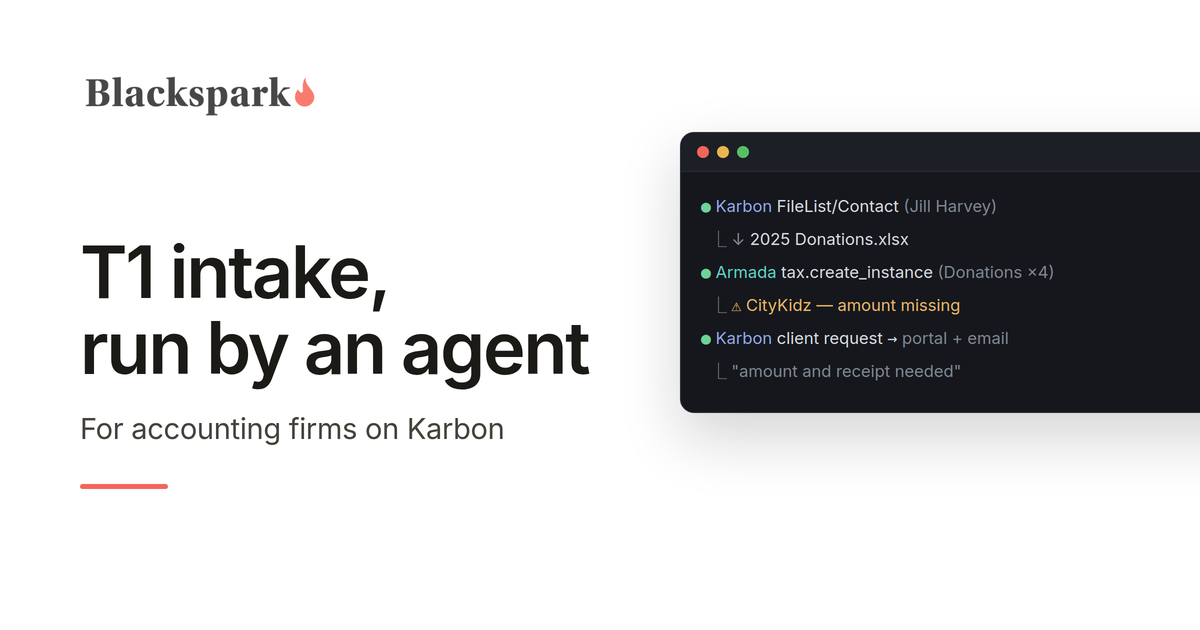
If your firm runs on Karbon, your practice management is already in good shape: work items, templates, client tasks, a portal your clients actually use. What Karbon was never built to do is the tax work itself — reading the donation list that just landed in the portal, getting it into a tax file, noticing that one amount is blank, asking the client for exactly that, and flagging the thing that needs a preparer's judgment to a preparer instead.
That gap is where your team's tax season goes. And it's now work an AI agent can do — inside the Karbon workflow you already have.
We know because we tested it, end to end, against a live Karbon tenant. This post describes what that looks like for a firm, in plain terms.
One instruction
A preparer opens Claude — the AI assistant from Anthropic that's been getting so much attention across professional services — and types:
"Start preparing a 2025 T1 for Jill Harvey."
Here's what happens next, with no one touching a keyboard:
The agent finds Jill in Karbon and checks for documents she's already uploaded. It creates the T1 work item from your firm's own template — the same checklist your staff would use. The template fires the standard document request to Jill through the Karbon client portal, so she gets the familiar email and task, exactly as if your admin had sent it. When Jill's documents arrive, the agent picks them up from the portal, reads them, and records every figure into a structured tax file in Armada T1 — each one linked to the exact document it came from.
Then the part that separates this from a demo. Among Jill's uploads is the document every preparer knows: a homemade spreadsheet of her donations. Four charities. One amount blank. And a typo — "Canadia Red Cross."
Watch what the agent does with that, because this is the whole product in one moment:
It records all four donations exactly as written, each linked to the stored spreadsheet. For the missing CityKidz amount, it doesn't guess — that's information only Jill has. So it sends a follow-up request through Karbon, and Jill gets a portal task and an email asking for precisely that: "Your 2025 T1 — CityKidz donation: amount and receipt needed." For "Canadia Red Cross," it doesn't silently correct the spelling, and it doesn't pester Jill about it either — whether that's the Canadian Red Cross is a preparer's call, so a note lands in your Karbon triage instead.
Two gaps. Two different destinations. Both the right ones. And when Jill answers her portal task, the reply lands exactly where the agent is already watching.
Every step of that flow ran against live systems. Not a concept video. An AI agent working in between two separate systems, without any hard-coded integration.
The question you should be asking
Couldn't you do this with just Claude and Karbon? Claude reads documents beautifully, and Karbon has an API.
You could build that demo in a weekend. Here's what it can't survive: Karbon is a system of record for your practice — clients, work, communication. It is not a system of record for a tax return. When Claude reads Jill's donation list, the figures have to go somewhere. Without a tax platform in the loop, "somewhere" is a spreadsheet, a document, or the agent's own memory of the conversation. That fails in ways that matter to a professional practice:
Nothing checks the work. A donation record needs an organization and an amount. A 2025 T4 has more than eighty fields with CRA box mappings and rules connecting them. A spreadsheet knows none of that. Armada T1 does — every entry the agent records is validated against the actual Canadian tax data model, for the actual tax year, and the blank CityKidz amount is tracked as an explicit, open item from the moment it's recorded.
Nothing stops invention. This is the risk nobody sees until it bites. An AI that can't save incomplete work will eventually fill a blank with something plausible — a $75 that was never on any receipt. Armada is designed for the opposite: an honest partial record always saves, every gap is tracked field by field, and the agent never has a reason to make a number up. A blank on the client's list stays blank in the file — with the follow-up already on its way to the client.
Nothing proves where numbers came from. When your reviewer — or the CRA — asks about a donation claim, "the AI put it in a spreadsheet" is not an answer. In Armada, every record links to its source document, and the document itself is stored with the file. The reviewer sees the four donations, clicks through to Jill's actual list, done.
Nothing says when it's finished. In a spreadsheet, "intake is complete" is a feeling. Armada computes it — and its workflow gate refuses to advance a file with open gaps, whether an agent or a human is pushing. We watched the agent try. The platform said no. That refusal is the product.
That's the division of labour: Claude does the work, Karbon runs the practice, Armada T1 holds the return — and governs it.
What setup actually involves
No developers, no integration project, no middleware to buy:
Karbon: generate an API key from Settings (a five-minute, built-in feature), and clone your T1 work template once so the document request sends automatically when a work item is created. Your existing template, your existing client experience.
Claude: your firm's Claude plan, with the Armada T1 MCP server added — a configuration step, not a development one.
Armada T1: an account for your firm.
There is no code to maintain, because there is no hard-coded integration. The agent is the integration. When we changed our minds mid-test about where documents should live, nothing had to be rebuilt — the agent adapted, the same afternoon.
What stays human
Your people keep every judgment call — starting with whether "Canadia Red Cross" is a typo or a charity you've never heard of. They review the file, advise the client, sign off, file. What they stop doing is downloading, re-keying, cross-checking, and writing "just following up on your donation receipts" emails. The agent handles the chase; the platform guarantees nothing advances until the inputs are clean; your preparers work the exceptions that surface in Karbon triage — the same place their work already lives.
For a Karbon firm, this isn't a new system to learn. Your clients see the same portal. Your staff see the same work items. The difference is who — or what — is doing the grunt work in between.
If you run T1s on Karbon and want to be among the first firms to put an agent on intake, request access on our homepage.
This post provides general information for tax professionals and is not tax, legal, or filing advice. Agent behaviour verified against live Karbon and Armada T1 environments, August 2026; Karbon is a trademark of Karbon, Inc., and no partnership or endorsement is implied.
Starting a Tax Preparation Business in the Agentic AI Era
Why tax preparation is the keystone founding service for a new financial practice, and how AI agents make an agent-first firm viable from day one.
There has never been a cheaper time to start a financial services practice, and there has never been a better founding service than tax preparation. Those two claims are related, and this post is the argument for both, aimed at the person we keep meeting: early in their career, credentialed or working on it, ambitious, and wondering whether to join an established firm or build something of their own.
A generation that wants to build
If that's you, you have company. An RBC poll found that 59 percent of Canadians aspire to own a business, the highest level since 2017, with more than 2.6 million already working for themselves. BDC's February 2026 study of 1,505 self-employed Canadians found the youngest cohort is the most growth-hungry of the group. And the intent is converting into action: Futurpreneur, which finances entrepreneurs aged 18 to 39, saw applications jump 50 percent year over year nationwide last fiscal quarter, and 65 percent in Alberta. Its CEO credits changing expectations around traditional employment.
There's a caution inside the same data. Statistics Canada found that Canadians aged 15 to 34 post the highest entry rates into incorporated business ownership, and also the highest exit rates. Plenty of young founders start; fewer build something that lasts. The difference is rarely talent. It's usually the business model: whether revenue recurs, whether demand has to be manufactured, and whether the founder can serve enough clients before the runway ends.
Which is exactly why the founding service you pick matters more than almost any other decision.
Why tax preparation is the keystone service
Start with the business logic, because it hasn't changed in fifty years and AI doesn't change it either.
A tax return is the one financial service almost every adult needs every single year, on a deadline the government enforces for you. Nobody needs to be convinced to file; they only need to be convinced to file with you. That is a far easier sale than any other financial service, where the first job is persuading someone they need the product at all. You still have to win clients, but you're competing for demand that already exists and renews annually by law.
More importantly, look at what you hold after preparing someone's return. Their income and how it's earned. Their RRSP room and whether they use it. Their dependants. Their donations. Their side business and what it actually makes. Their capital gains, their debts surfacing through interest deductions, their marital changes, their approaching retirement. A completed T1 is the most complete financial snapshot of a household that any professional ever legitimately assembles.
Every other financial service is downstream of that snapshot. Retirement planning starts with the RRSP room you can see. Insurance conversations start with the dependants and the mortgage interest you can see. Investment advice starts with the unregistered account activity you can see. Firms have always known this: tax preparation is rarely the most profitable service in the building, but it is the service that makes every profitable conversation possible.
The catch, historically, was that the keystone came with a grind attached. Tax season meant gathering documents, keying slips, chasing clients for the forms they forgot, and re-checking everything under deadline pressure. To hold five hundred client relationships you needed a staffed back office, and to afford a staffed back office you needed five hundred clients. That loop is what kept new entrants out.
The grind is now delegable
That loop just broke, and this is the part that matters if you're starting today.
AI agents can now do the intake grind: read the documents clients send, build structured tax records, notice what's missing, chase it politely and persistently, and assemble reviewer-ready files. Not as a demo, but as governed workflow, provided the agents work on infrastructure built for them, with validation on every write, provenance on every number, and tracked gaps instead of invented ones.
That's what we build. Armada T1 is agent-ready infrastructure for Canadian T1 workflows: AI agents operate the intake, and the platform governs what they're allowed to do and what counts as done. A morning agent sweeps the intake folder and organizes new client documents. A chase agent works the missing-items list. A review agent packages completed files, and a handoff agent moves them into filing software. Those aren't hypothetical job titles. They're the workflow roles a small firm staffs with people, available to you as software.
The strategic consequence is simple: the back-office loop that kept solo practitioners small no longer binds. One licensed professional with an agent-first setup can hold a client book that used to require a team, because the work that required the team is exactly the work agents do best.
Agent-first beats agent-later
Here's the advantage you have over every established firm, and it's worth taking seriously because it's temporary.
Existing practices are retrofitting. They have desktop software, staff trained on manual process, folders full of habits, and busy seasons that punish experimentation. Most will automate slowly, around the edges, without changing shape. You have no legacy process to protect. You can design the practice around the agents from day one: intake that lands in structured, validated records instead of a shared drive; follow-ups that happen automatically instead of when someone remembers; a completeness gate that decides when a file is ready instead of a feeling. You inherit none of the eleven-p.m. re-keying because you never build the workflow that requires it.
Being small stops being a disadvantage. It becomes the moat: you can be agent-first while the incumbents are agent-eventually.
What the agents don't do
An honest list, because the pitch falls apart without it.
Agents don't hold the relationship. The client trusts a person with their finances, and that person is you. Agents don't exercise professional judgment on ambiguous situations, and the good ones are built to escalate rather than guess: the missing box, the receipt that could be two things, the residency question. Those land in your queue, which is the point. Your day is judgment and conversations; the agent's day is everything else.
And agents don't carry your obligations. You still register with the CRA for EFILE, you still meet whatever licensing applies to the services you offer, and if you plan to sell insurance or investment products you need the corresponding provincial licensing before a single conversation happens. AI compresses the grind, not the responsibility. Frankly, that's also why this opportunity is real: the credentials and accountability are the part that can't be automated away, and you're the one bringing them.
The flywheel, from the first client
Put the pieces together and the model looks like this. Tax preparation acquires clients at a lower cost than any other financial service, because the demand already exists and comes back every spring. Agents do the intake, the chasing, and the assembly, so each client costs you minutes of judgment instead of hours of clerical work. The completed return gives you, with the client's consent, the most complete picture of their financial life available anywhere. And that picture is a standing list of conversations worth having: the unused RRSP room, the new baby and no life insurance, the side business ready to incorporate, the retirement five years closer than the portfolio assumes.
Each of those conversations is a planning engagement, an insurance policy, or an investment relationship. Higher margin, deeper trust, and all of it anchored by the keystone service that brings the client back every spring. The old constraint was that you couldn't afford to offer the keystone until you were big. Now the keystone is the cheapest thing you offer.
Starting stack
What this looks like practically: your credentials and registrations, a client-facing identity, filing software for the returns themselves, and Armada T1 as the system of record your agents operate. From there, add clients, not headcount.
We're building for exactly this founder. If you're starting an agent-first practice, request access on our homepage.
This post provides general information and is not tax, legal, licensing, or business advice. Confirm CRA registration requirements and provincial licensing rules for any regulated products before offering services.
Why Not Just Point an Agent at the Intake Folder?
Seven questions that separate a weekend agent demo from production tax intake: schema, fabrication, provenance, state, permissions, completeness, and handoff.
If you build agents for a living, you've already had this thought: tax intake looks easy. Claude or GPT can read a T4 PDF flawlessly. Give an agent access to the client's document folder, a decent prompt, and a spreadsheet to write into, and you've automated intake. You can build that demo in a weekend, and it will genuinely work — in the demo.
We know because that demo is roughly where every conversation with an implementer starts. This post is the list of questions that separate that weekend demo from something a Canadian accounting firm can actually run a tax season on. It's also, not coincidentally, the list of reasons Armada T1 exists.
Where does the data go?
An agent that extracts slip data has to put it somewhere, and the somewhere is the whole game. A spreadsheet or a JSON file has no schema, so every extraction decision the model makes — field names, formats, what counts as box 26 — is improvised per document. Across five hundred returns and three agent versions, you get five hundred slightly different improvisations.
A 2025 T4 has more than eighty typed fields, with CRA box mappings, picklists, and conditional relationships. And it's different from the 2024 T4, because the schema changes every year. Somebody has to own that structure. If it isn't your platform, it's your prompt — which means it's nobody.
What stops the agent from making things up?
This is the question that should keep implementers up at night, and the answer can't be "we prompted it not to."
Here's the mechanism nobody designs for on purpose. Real client documents are incomplete — the T4 arrives without box 26, the receipt is missing a date. If your pipeline validates strictly, records that fail validation don't save. An agent that can't save its work will, sooner or later, fill the gap with something plausible to get past the gate. Strict validation, applied naively to agents, teaches them to fabricate. And a fabricated number in a tax return isn't a UX bug; it's a professional liability event.
The alternative isn't no validation — it's validation designed for how agents actually work. In Armada T1, an honest partial record always saves, and every gap and rule violation is tracked against it as explicit, field-level debt. The agent never faces a choice between losing its work and inventing a number. The gaps then surface at a verify boundary, and an incomplete file cannot advance in the workflow. Truth is enforced by architecture, not by prompt.
Where did this number come from?
A reviewer looking at agent-built work has one overriding question: can I trust it? A spreadsheet row can't answer that. In Armada T1, every record carries a provenance link to the source document it came from — the specific slip, receipt, or CRA import. That single design decision is most of the difference between "the AI filled in a spreadsheet" and "here's an audit-ready file a reviewer can sign off on."
What happens over six weeks?
The demo processes a folder in one sitting. Real intake is a long-running conversation: the client sends four documents in February, two more in March, and answers a question the day before the deadline. A generic agent has a context window; it doesn't have durable state. Armada T1 is the state: tax files with explicit workflow statuses, open tasks anchored to the exact record they're about, and a completeness picture that any agent — or human — can pick up cold, weeks later, mid-stream. The third session doesn't need to re-derive what the first two did.
Who is allowed to do what?
Point an agent at a folder and you've granted it everything, invisibly. There's no identity, no scoping, no record of what it read or wrote. That's fine for a demo and untenable for a firm handling SINs and income data under professional obligations. Armada T1 treats agents as first-class principals: identified as agents, scoped to one firm's tenant, permission-bounded, with every call logged. When the reviewer, the partner, or eventually the regulator asks what the agent did — there's an answer.
Who says it's done?
In the folder-and-spreadsheet version, "intake is complete" is a feeling. In Armada T1 it's a computed fact: a file-level completeness check across every applicable section — missing required fields, rule violations, unresolved sections — and a workflow gate that refuses to advance the file until the inputs are actually clean. The gate applies to agents and humans alike. This is what we mean by "agents operate, Armada governs": the agent does the work; the system decides what counts as finished.
And then what?
Intake isn't the destination. The structured file has to land in the tax preparation and practice management software the firm already runs. A spreadsheet gets re-keyed by a human, which quietly deletes most of the value the agent created. Armada T1's endpoint is a structured, validated, provenance-linked file built for handoff.
The build-vs-buy math
None of the above is exotic. A strong team could build all of it: the versioned Canadian tax data model, the CRA-parity validation rules, the provenance layer, the task system, the workflow gates, the permissions and audit. That's the point — it's not a weekend demo, it's a multi-year system of record in a domain where the schema shifts annually and the cost of a wrong number is measured in reassessments and errors-and-omissions claims.
Here's the thing about the agent layer: harnesses are becoming a commodity. There are hundreds of them, the frontier labs give them away, and every quarter the models get better at operating whatever surface you hand them. The scarce asset in an agentic tax stack isn't the agent — it's the governed surface the agent operates. Our own testing bears this out: a general-purpose model with a two-page instruction file runs a clean, auditable intake on Armada T1, because the guarantees live in the platform, not the prompt.
So build the part where you differentiate: your orchestration, your client experience, your firm-specific workflows. Point it at a system of record that already knows what a T4 is, refuses to let anyone — agent or human — call an incomplete file done, and never gives your agent a reason to invent a number.
That's the division of labour Armada T1 proposes. If you're building on it — as a consultancy, an MSP, or a firm's internal team — request access on our homepage.
This post provides general information for tax professionals and agent implementers and is not tax, legal, or filing advice.
Canadian Tax Preparation Software: What Firms Should Look For in the Agentic AI Era
The calculation race is over. How firms should evaluate Canadian tax software as AI agents enter the workflow, and the six questions that matter more than forms coverage.
Canadian tax preparation software has been remarkably stable for two decades. A firm picked a T1 suite — ProFile, TaxCycle, DT Max, Cantax — installed it on desktops, and ran every return through the same keyboard-driven workflow: collect documents by email, re-key slip data, chase missing information by phone, review on screen, EFILE, repeat a thousand times before April 30.
The calculation engines in that software are excellent. The workflow around them is where firms actually lose the hours — and that workflow is what's now changing, because AI agents have become capable of doing large parts of it. This guide looks at the Canadian professional tax software landscape, what traditional suites do and don't cover, and what firms should evaluate as agent-driven automation enters the market.
The Canadian professional tax software landscape
Most Canadian firms prepare T1s in one of a handful of established desktop suites: Intuit ProFile, TaxCycle, Thomson Reuters DT Max, and Wolters Kluwer's Cantax and Taxprep. All are CRA-certified for EFILE, all have mature forms coverage, and all are fundamentally calculation and filing tools: you put clean data in, they compute the return and transmit it.
Consumer products — TurboTax, Wealthsimple Tax, H&R Block's software — serve the do-it-yourself market and aren't built for firm workflows at all: no multi-preparer roles, no client pipeline, no practice-level view of two thousand returns moving through statuses.
The interesting gap sits in front of the professional suites: everything that happens before clean data reaches the calculation engine, and everything that happens around the return afterward.
What traditional tax prep software does well — and where it stops
Traditional Canadian tax preparation software is very good at computing tax and filing returns. What it cannot do is operate the workflow: onboard a client, collect and interpret their documents, notice that a T4 arrived but the RRSP slip didn't, create and chase follow-up tasks, capture where each number came from, assemble a reviewer-ready summary, or move a file through defined stages with an audit trail.
Firms fill that gap with people — plus email chains, shared folders, spreadsheets, and re-keying. During compression season, that manual glue is the bottleneck: preparers spend more time gathering and transcribing than exercising judgment.
What's changing: AI agents in tax workflows
The new generation of AI agents can read documents, extract slip data, ask clients for what's missing, and carry out multi-step work with minimal supervision. But agents can't do that safely inside software designed for a human with a mouse. Screen-driven desktop software gives an agent nothing to hold on to — and no guardrails if it holds on wrong.
What agents need is different: a structured backend with scoped permissions, well-defined programmatic operations, field-level validation, and reliable handoff protocols. In practice that means software exposing its tax data model through APIs and MCP (Model Context Protocol) tools — so an agent can discover what a tax file requires, write records the system validates, flag gaps as tasks, and leave a complete audit trail. The software governs; the agent operates.
What should firms look for in tax filing software for accountants?
Whether or not a firm plans to deploy agents this year, the evaluation criteria have shifted. Six questions worth asking of any Canadian tax preparation software today:
Is it cloud-based? Desktop installs mean data locked to machines, manual updates, and no way to expose safe programmatic access. Cloud architecture is the precondition for everything else on this list.
Does it cover the workflow, or only the return? Calculation and EFILE are table stakes. The expensive hours live in intake, document collection, missing-information follow-up, review preparation, and status tracking.
Is it agent-ready? Ask specifically: are there APIs or MCP tools an AI agent can use? Can permissions be scoped so an agent can gather data but not file? Software that only a human can operate will only ever be as fast as your humans.
Does it validate at the field level? Agent-entered (and human-entered) data should be checked against the tax rules on write — required fields, bounds, cross-field rules — not discovered at review.
Does it keep provenance? Every figure on a return should link back to its source document. That's what makes an agent-built file reviewable and defensible.
Does it hand off cleanly? No firm replaces its entire stack at once. New workflow infrastructure has to co-exist with the EFILE software and practice management tools a firm already runs — structured handoff out, not lock-in.
Where Armada fits
Blackspark builds Armada, agent-ready infrastructure for Canadian T1 workflows — the layer in front of, and around, the calculation engine. Armada exposes clients, tax files, sections, required fields, validation rules, tasks, review states, and filing handoff capabilities through APIs and MCP tools, so AI agents can gather taxpayer information, create structured and validated tax records with document-level provenance, open follow-up tasks for missing information, prepare reviewer-ready summaries, and hand off to the tax prep and practice management software a firm already uses.
The governing principle: agentic workflows should not mean uncontrolled workflows. Agents operate inside scoped permissions; Armada enforces the validation rules, completeness gates, and audit trail. Human reviewers stop doing manual data work and assume oversight roles.
Armada is built for accounting firms, consultants, MSPs, and automation teams implementing AI in tax practices. If that's the problem you're working on, request access on our homepage.
The bottom line
The Canadian tax preparation software market spent twenty years competing on forms coverage and calculation accuracy — a race the incumbents effectively finished. The next decade will be decided by workflow: which platforms let firms deploy AI agents safely against the gathering, validation, and follow-up work that consumes tax season. When you evaluate software now, evaluate it as the system your future agents will operate in — because the firms that get that layer right will prepare more returns with less compression-season pain, at higher and more consistent quality.
This post provides general information for tax professionals and is not tax, legal, or purchasing advice. Evaluate any software against your firm's own requirements, security policies, and CRA obligations.
TOSI Rules: Everything You Need To Know
A preparer's guide to the tax on split income: who it catches, the excluded amounts that get clients out, and how to screen for it at intake.
The tax on split income (TOSI) rules are one of the most consequential — and most frequently misapplied — parts of preparing T1 returns for owners of private corporations and their family members. Since 2018, they have determined whether dividends, trust allocations, and certain other amounts paid to a family member are taxed at that person's own marginal rate or at the top marginal rate, with most personal credits stripped away.
This guide covers how the rules work, who they apply to, the exceptions that matter in practice, and how tax preparation teams can screen for TOSI exposure systematically rather than catching it (or missing it) file by file.
What is income sprinkling?
Income sprinkling — often called income splitting — is the practice of directing income from a high-income individual to family members in lower tax brackets, most commonly by paying dividends from a private corporation to a spouse or adult children who hold shares. Before 2018, this could produce substantial family-level tax savings even when the recipients had no involvement in the business.
The TOSI rules exist to shut down that version of the strategy. Income splitting itself is not prohibited — several forms of it remain fully legitimate — but income sprinkled to family members who neither work in the business nor put capital at risk is now generally taxed as if the high-income earner had kept it.
What are the TOSI rules?
TOSI is found in section 120.4 of the Income Tax Act and has applied in its current form since January 1, 2018, when the former "kiddie tax" on minors was extended to adult family members. The mechanics are blunt: when an amount is "split income" received by a "specified individual" and no exception applies, it is taxed at the top federal marginal rate (33%, plus the top provincial rate), and the recipient loses the benefit of most personal credits against that income.
Split income includes, among other things: taxable dividends from private corporations, shareholder benefits, income allocated from a partnership or trust that is derived from a related business, income from certain debt obligations, and certain capital gains on dispositions to non-arm's-length parties.
Notably, salary is not split income — reasonable wages paid to a family member for actual work are tested under the ordinary reasonableness rules, not TOSI.
Who do the TOSI rules apply to?
TOSI applies to a "specified individual" — essentially any Canadian-resident individual, adult or minor, who receives split income where a related person (the "source individual") is actively involved in the underlying business. The classic fact pattern: one spouse runs an incorporated business, the other spouse and adult children hold dividend-paying shares.
Age matters enormously under the rules. Minors are caught in almost every scenario. Recipients aged 18 to 24 face the strictest adult tests. Recipients 25 and over have access to the widest set of exceptions, and recipients whose spouse is 65 or older get a further exception that mirrors pension income splitting.
What is the tax rate under TOSI?
Split income caught by TOSI is taxed at the top combined federal-provincial marginal rate regardless of the recipient's other income — federally 33%, with combined rates exceeding 50% in most provinces. The amount is reported on Form T1206 (Tax on Split Income) and flows to line 40424 of the T1. Because the recipient also loses most credits against that income, TOSI routinely produces a worse result than if the source individual had simply earned the income directly.
What are the exceptions to the TOSI rules? (Excluded amounts)
The exceptions — "excluded amounts" in the legislation — are where nearly all of the practical analysis happens. The four that matter most:
Excluded business (the 20-hour rule). Amounts from a business in which the recipient (18 or older) is actively engaged on a regular, continuous and substantial basis — in the current year or in any five prior years, which need not be consecutive. Working an average of at least 20 hours per week during the part of the year the business operates is deemed to meet the test. This is the workhorse exception for genuinely active family members, and the five-prior-years branch means a retired founder's spouse who put in the hours a decade ago can still qualify.
Excluded shares. For recipients 25 or older who personally own shares representing at least 10% of both the votes and the value of the corporation — provided the corporation earns less than 90% of its business income from the provision of services, is not a professional corporation, and derives substantially all its income from its own business rather than a related business. Service businesses and professional corporations are deliberately shut out of this exception, which is why it fails more often than owners expect.
Reasonable return. For recipients 25 or older, amounts that represent a reasonable return on the recipient's contributions of labour, capital, and risk assumed, considering historical payments as well. For recipients 18 to 24, only a "safe harbour capital return" (a prescribed-rate return on arm's-length capital they contributed) or a reasonable return on such capital qualifies. Documentation is decisive here — the CRA assesses reasonableness on the facts.
Age 65 exception. If the source individual is 65 or older, amounts paid to their spouse or common-law partner are excluded — deliberately aligned with pension income splitting so that business owners are not worse off than pensioners in retirement.
Beyond these four, excluded amounts also cover several specific situations: property inherited from a parent (or from anyone, if the recipient is a student or eligible for the disability tax credit), property received on marriage breakdown, taxable capital gains arising on death, and gains on property eligible for the lifetime capital gains exemption (qualified small business corporation shares and qualified farm or fishing property) — the last of which applies even to minors.
How is TOSI different from legitimate income splitting?
Several income-splitting strategies remain fully available because they never produce "split income" as defined: pension income splitting between spouses, spousal RRSP contributions, properly structured prescribed-rate loans for investment income, paying family members reasonable salaries for real work, and TFSA contributions funded by gifts between family members. A useful mental model: TOSI polices private-corporation income flowing to relatives; it does not police the ordinary tools Parliament built for household tax planning.
How should tax preparation teams screen for TOSI?
In a firm setting, TOSI errors rarely come from misreading the law — they come from intake gaps. The facts that decide TOSI treatment (hours worked per week, share percentages by votes and value, the corporation's services revenue mix, the recipient's age, the source individual's age) live with the client, not on the slips. A T5 from a private corporation looks identical whether or not TOSI applies.
That makes TOSI a workflow problem as much as a technical one. Files with private-corporation dividends should be flagged at intake, the exception-relevant facts gathered as structured data with the client's answers documented, and a T1206 prepared whenever no exception clearly applies. This is exactly the class of problem Blackspark builds for: Armada, our agent-ready infrastructure for Canadian T1 workflows, lets AI agents gather taxpayer information, record it as structured, validated tax data with full provenance, and open follow-up tasks automatically when a required fact — like the hours a family member actually worked — is missing from a file. Firms interested in automating intake-stage screening can request access on our homepage.
The bottom line
TOSI is settled law, not a proposal — it has applied since 2018, it taxes caught income at the top marginal rate, and the difference between a caught dividend and an excluded one usually comes down to facts a preparer must actively collect: hours worked, share structure, revenue mix, and age. Treat those facts as required intake data rather than review-stage discoveries and the rules become manageable; treat them casually and they become reassessments.
This post provides general information for tax professionals and is not tax, legal, or filing advice. Confirm positions against the Income Tax Act, current CRA guidance, and the facts of each client file before applying them.