
Firms on Karbon ask a version of the same question firms on TaxDome ask: our practice runs on Karbon, our clients answer requests in the Karbon portal, can Claude do the intake without moving anyone to a new system? The short answer is yes, and Karbon is in one respect the easier of the two, because its API hands the agent the documents themselves. The catch is on the other side: Karbon lets an agent ask a client for something only through a template, and lets it write a note but never edit one. This guide is what we would tell a Karbon firm that asked, based on a run we did in August 2026 against a live Karbon tenant and Armada T1, with a synthetic client and nothing filed. The narrative version of that run is in Run your practice on Karbon? Your T1 intake can now run itself; this post is the setup and the limits.
What Karbon gives an agent
Karbon announced a public MCP server in June 2026, and as of this writing it has an endpoint but no documentation, so a firm cannot connect Claude to Karbon the way it connects to TaxDome or to Armada T1. What a firm can do today is give the agent a Karbon API key, which a firm admin generates in Settings in a few minutes, and let it call the REST API directly from a Claude session. The key lives in a file the agent sources but never prints, and every call is authenticated with that key plus the firm's access key, so every call runs with whatever permissions that key carries.
Through the API, Claude can find a client's contact and the work items on it, read the notes and timeline on a tax job, create a work item from one of the firm's own templates, move it through its statuses, mark its checklist tasks in progress, post a note assigned to a preparer with a due date, and list the files attached to the contact or to any work item. That last call is the one TaxDome's API does not have: each attachment comes with a download link that is good for about fifteen minutes, so an agent can read the T4 a client uploaded to the portal without a desktop sync or a second copy in Drive.
The two things it cannot do are the two things a firm would most like to automate. A client request, the tracked to-do a client sees in Karbon for Clients, cannot be created directly; it comes from a work template that has a client-request group scheduled to send on the work item's start date. And a note, once posted, cannot be edited or deleted. There is no way to send a client an email with custom text at all.
Setup: two templates and a key
Because requests come only from templates, the setup is a template job, not an integration job. The firm clones its T1 work template once, so that the standard document request goes out to the client automatically when a work item is created from it, and makes a second, smaller template with a single client-request group that sends on day zero, which is what the agent uses for a follow-up. Both are ordinary Karbon templates; the client sees the firm's usual email and portal task, and nothing says an agent was involved.
The work item itself needs one field most firms never set by hand: the client task recipient, which is what arms the scheduled request. The API accepts it only at creation, echoes it back as empty even when it is set, and drops it silently on a later update, so an agent that creates the work item correctly the first time is doing the firm a favour it cannot see. The start date is the send date, and the send is a real email to a real client.
Then the agent needs the Armada T1 MCP server added to the firm's Claude plan and an Armada T1 account for the firm. No middleware, no developer, and no code to maintain, because the agent is the integration.
What the run looked like
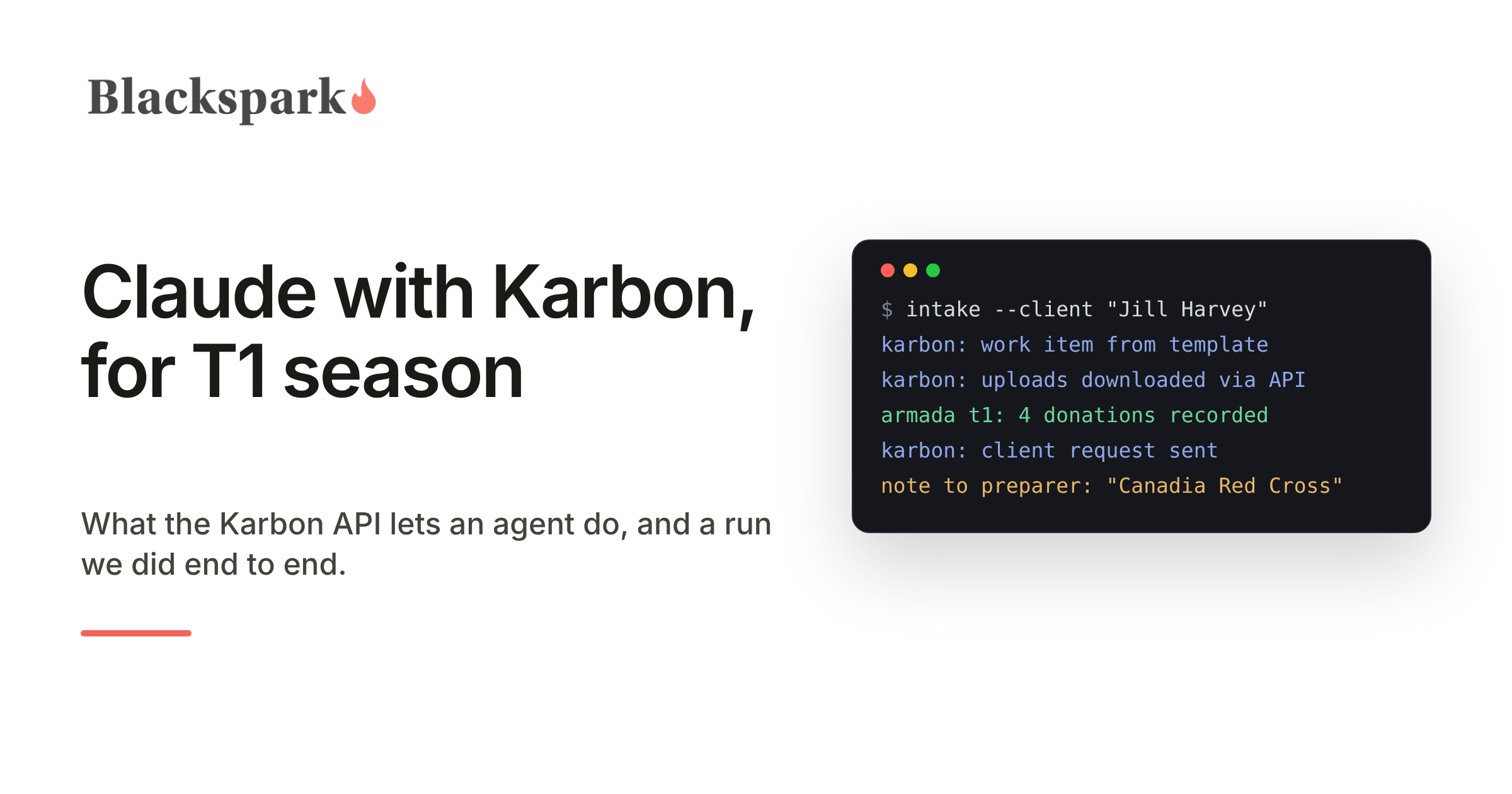
A preparer typed one instruction: start preparing a 2025 T1 for Jill Harvey. The agent found Jill in Karbon, found no documents, and created the T1 work item from the firm's template, which sent Jill the document request through the portal. When her uploads arrived, it downloaded each one through the API, read it, and recorded the figures in Armada T1 as validated section records, each one linked to its Karbon file by key so that nothing is matched by file name.
Among the uploads was a homemade spreadsheet of donations: four charities, one amount blank, one charity spelled "Canadia Red Cross". The agent recorded all four as written and linked the spreadsheet as the source. For the blank amount it created a follow-up work item from the second template, so Jill received a portal task and an email asking for exactly that one amount and its receipt, and it opened a matching task in Armada T1 naming the work item key. For the spelling, it posted a note on the T1 work item assigned to the preparer: whether that charity is the Canadian Red Cross is the preparer's call, not the client's and not the agent's. Then it asked Armada T1 for completeness, reported the identity and residency fields that no document can answer as one list for the interview, and tried to advance the file, which Armada T1 refused because gaps were open. That refusal is the point.
What we learned that the developer site does not say
There is no "all documents for this client" call. The Documents tab in the Karbon web app aggregates files from the contact and from every work item, and the API makes an agent query each one separately, so an agent has to list the related work items first. Archived copies show up too and should be skipped unless a rename is being investigated.
Status strings differ inbound and outbound, a freshly created work item reports a status the template did not set, and a work item's own status changes only through a full update, not a partial one. None of this is hard, but an agent that has not seen it will report a failure that did not happen.
Notes are permanent. Since a note cannot be retracted, the agent writes only notes it can stand behind, with the facts, the question and a due date, and never uses one to ask the client something.
Names drift. During our run a contact was renamed in Karbon while the agent was working, and for a few minutes the two systems disagreed about who the client was. The fix is to key every Armada T1 record on the Karbon contact and file keys, never on the name, and to stop and ask the preparer when the two systems disagree.
What stays with people
The preparer decides whether "Canadia Red Cross" is a typo, approves the templates and the send dates, reviews the file, and prepares and files the return in the tax software. The client sees the portal she already uses. What the firm stops doing is downloading, re-keying, cross-checking, and writing "just following up on your donation receipts" emails.
Where Armada T1 fits
Armada T1 is the system of record for Canadian T1 intake, with its own MCP server. Karbon holds the client relationship, the work item and the conversation; Armada T1 holds the tax file, validates every value the agent records against the year's T1 input schema, keeps the source document with each record, and says what is still missing, so the question of whether a file is complete has one answer on every file. Armada T1 does not calculate or EFILE returns; the completed file is handed off to the CRA-certified tax software your firm already runs. For what Karbon's API and MCP server offer today, see our Karbon MCP server page; for which Claude plan to use and what happens to client data, see Claude for Canadian tax preparers.
If you run T1s on Karbon and want to put an agent on intake this season, request access on our homepage.
Working on US 1040 workflows? Armada 1040 is coming soon: the same record and MCP server, for US individual returns. Join the waiting list.
This post provides general information for tax professionals and is not tax, legal, or filing advice. Agent behaviour verified against live Karbon and Armada T1 environments, August 2026, with a synthetic client; Karbon status re-checked November 2026. Karbon and Karbon for Clients are trademarks of Karbon, Inc., Claude is a trademark of Anthropic, PBC, and no partnership or endorsement is implied.
