
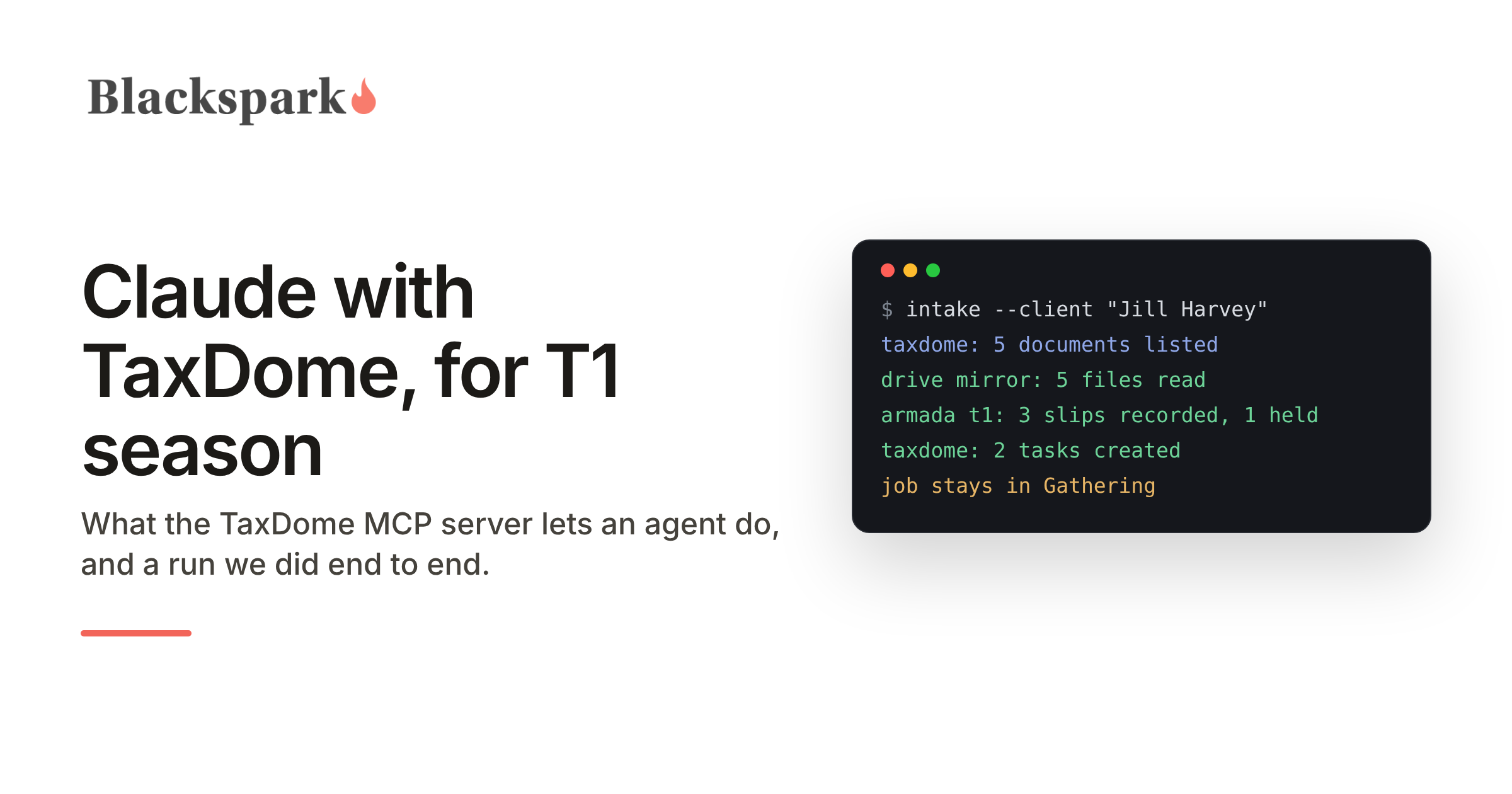
The question arrives the same way every time: we run the practice on TaxDome, our clients upload to the TaxDome portal, can Claude do the intake? The short answer is yes for everything except reading the documents, and the document part has a workaround that a firm can set up in an afternoon. This guide is what we would tell a TaxDome firm that asked, based on a run we did in October 2026 against a TaxDome firm account and Armada T1, with a synthetic client, five uploaded PDFs and nothing filed.
What TaxDome gives an agent
TaxDome has an MCP server, in beta and documented in two help-centre articles. A firm owner turns it on under Settings, chooses which team members may use it, and connects Claude as a custom connector with a TaxDome sign-in; every call then acts as that team member, with Read, Manage or Destructive rights per resource. Through it, Claude can find a client and the job on their pipeline, read what the job is still waiting for, create and update tasks with checklists and due dates, move the job between stages, upload a file into the client's folder, and post a message in the client's chat, which TaxDome delivers with its own notification email. Every write requires the agent to confirm and to state its intent, which TaxDome records.
What it does not give is the document itself. A client's uploaded T4 is a record to the API: a name, a folder, a date, an approval state. There is no call that returns the file, so an agent connected only to TaxDome's MCP server can see that Jill Harvey uploaded "T4-2025-Acme-Widgets.pdf" at 6:02 PM and cannot read box 14.
Three ways to get the documents
A firm has three doors, and the choice is the only real setup decision.
TaxDome Drive is the Windows desktop app that mirrors client folders to a drive letter. A scheduled copy from that drive into a folder Claude can reach, running once a minute, gets each upload to the agent within about a minute of the client pressing upload, and the same mirror in reverse puts the agent's output back in the client's TaxDome folder. This is what we used, and it is the door that keeps TaxDome as the only place documents live. It needs a Windows machine that stays on.
A second copy in the firm's own Google Drive or SharePoint, which many firms already keep, lets Claude read documents through the connectors in the Claude desktop app. It is the least work if the copy already exists and the most to explain if it does not.
The third door is the TaxDome web app itself in a browser session, which an agent can drive, but it is the slowest and most brittle of the three and we would not build a season on it.
What the run looked like
Jill, our synthetic client, uploaded five PDFs to her portal: a 2025 T4, a T5, a donation receipt, and a 2024 T4 from a previous employer, uploaded twice by mistake. Nobody told her how to name anything.
Within a minute each file was in the agent's folder. Claude read the slips and recorded three of them in Armada T1, box by box, each record linked to its TaxDome document id so nothing is matched by name. It caught the duplicate by comparing the files, stored one copy, and held the 2024 slip rather than recording a prior-year T4 on a 2025 file, with a task for the preparer explaining why. Then it asked Armada T1 for completeness, which came back with the slips complete and twenty-two inputs missing, every one of them an interview question: address, date of birth, marital status, residency, citizenship, and the yes-or-no questions a preparer asks every client.
Back in TaxDome, Claude turned that into two tasks on Jill's job, one for the held slip and one listing the twenty-two questions as a checklist, both assigned to the preparer with a due date. With the preparer's approval of the text, it posted a message in Jill's chat explaining what had been received and asking about the Northwind slip, and TaxDome emailed her the notification. The job stayed in Gathering, because the file was not complete, and that is the point: nothing moved that should not have.
What we learned that the help centre does not say
Email through the API needs a synced mailbox. Without one, the send call returns success and the message goes nowhere. Use client chat, which TaxDome delivers itself, or sync a mailbox first.
The client's Notify setting decides whether she hears anything. It is a checkbox on the contact in the TaxDome web app, it is off by default on a contact created through the API, and the API cannot read or set it. Turn it on before the first message, or the chat sits unread in the portal.
The audit log shows the person, not the agent. Every action the agent took appears in TaxDome's activity feed and task audit trail as the team member whose connection it used, and the intent sentence the API requires is not shown anywhere a firm can see. If you want agent actions distinguishable from your own, give the agent its own team member and its own connection.
There is no test mode. A chat message or an email sent through the API reaches the real client. Point the agent at a test client until you trust the loop.
What stays with people
Claude reads, records and routes. The preparer decides whether the 2024 slip was a mistake, approves what the client is told, reviews the file, and prepares and files the return in the tax software. The client sees the portal she already uses. Nobody at the firm opens a new application, which was the condition the firm set.
Where Armada T1 fits
Armada T1 is the system of record for Canadian T1 intake, with its own MCP server. TaxDome holds the client, the job and the conversation; Armada T1 holds the tax file, validates every value the agent records against the year's T1 input schema, keeps the source document with each record, and says what is still missing, so the "is this file complete" question has one deterministic answer on every file. Armada T1 does not calculate or EFILE returns; the completed file is handed off to the CRA-certified tax software your firm already runs. For what TaxDome's MCP server exposes today, see our TaxDome MCP server page; for the broader question of which Claude and what happens to client data, see Claude for Canadian tax preparers.
If you run T1s on TaxDome and want to put an agent on intake this season, request access on our homepage.
Working on US 1040 workflows? Armada 1040 is coming soon: the same record and MCP server, for US individual returns. Join the waiting list.
This post provides general information for tax professionals and is not tax, legal, or filing advice. Agent behaviour verified against live TaxDome and Armada T1 environments, October 2026, with a synthetic client; TaxDome is a trademark of TaxDome, Inc., Claude is a trademark of Anthropic, PBC, and no partnership or endorsement is implied.
