
A T1 client questionnaire has one job that no slip, receipt, or CRA download can do: it captures the facts about the client's year that only the client knows. Did you get married. Did you sell the condo. Did your employer sign a T2200. Did you spend 130 days in Florida. Every one of those answers decides whether a schedule exists on the return, and every one of them is invisible to Auto-fill my return and to the pile of documents in the portal.
This is the template we would hand a Canadian firm that asked for one, written for the 2025 tax year. It is in client language, ordered the way intake actually runs, and built so that a "yes" produces a specific follow-up rather than a paragraph of instructions. Copy it, cut what your client base never triggers, add your province's items, and then read the second half, which is about how to run it online without turning the answers into a PDF somebody has to re-key.
The document list (which slips and receipts to send) is a separate thing and lives in our T1 intake checklist. The two go together: the checklist collects documents, the questionnaire collects facts. Both are also available in one editable Word document: download the T1 Client Intake Kit.
The template
Each question is yes or no unless it asks for a value. Where a "yes" needs more, the follow-up is written right after it. Questions marked "confirm" should be pre-filled from last year's file and confirmed, not asked fresh. "2025" means the calendar year January 1 to December 31, 2025, unless a question says otherwise.
Updated October 2026 (kit version 2025.2): six questions added and three reworded so that every answer settles a fact a 2025 T1 file requires of every client: income exempt under the Indian Act, the eligible educator credit, the volunteer firefighter or search and rescue role, where the client lived on December 31, 2024, and the CRA correspondence language and delivery choice, with the first-FHSA and disability questions each split in two.
1. About you
1. Your full legal name as the CRA has it, date of birth, and social insurance number. (confirm)
2. Your current mailing address. Did it change during 2025? If yes: the date you moved.
3. The email address and mobile number you want us to use for questions and for your documents.
4. Your occupation. (confirm)
5. Are you a Canadian citizen? (confirm)
6. Are you, or is anyone in your household, also a citizen or permanent resident of a country other than Canada, including the United States? If yes: which country, and for the US, whether you hold citizenship or a green card.
2. Your household
7. Your marital status on December 31, 2025. (confirm) Did it change during the year? If yes: the new status, the date, and a copy of any separation agreement or court order.
8. Your spouse or partner's full name, date of birth, and SIN. (confirm) Are we preparing their return? If no: their net income for 2025.
9. Do you have dependants (children or other relatives who rely on you)? If yes, for each: name, date of birth, relationship, whether they lived with you, and their income for 2025 if any. (confirm)
10. Has the CRA approved a disability tax credit certificate (Form T2201) for you or anyone in your household? If yes: who.
11. Has a doctor diagnosed you or anyone in your household with a severe and prolonged physical or mental impairment for which no disability tax credit certificate has been approved? If yes: who. We will discuss whether to apply for the certificate.
12. Did you support a spouse, partner, child, parent, or other relative who depends on you because of a physical or mental impairment, whether or not they have a disability tax credit certificate? If yes: who, and their income for 2025.
13. Did you pay or receive spousal or child support during 2025? If yes: amounts paid and received, and a copy of the agreement if it is new or changed.
3. Where you lived and worked
14. Which province or territory did you live in on December 31, 2025? (confirm) Were you living in Canada on December 31, 2024, and if so in which province or territory? Did you live in more than one province or territory during 2025? If you lived in more than one: the move date. If you were not in Canada on December 31, 2024: see the next question.
15. Did you become a resident of Canada, or stop being one, during 2025? If yes: the date, and the country you came from or went to.
16. Did you spend time in the United States during 2025? If yes: roughly how many days in 2025, 2024, and 2023.
17. Did you have income from outside Canada (employment, pension, rental, investment, or business)? If yes: the country and type.
18. Was the total cost of investment property you held outside Canada more than $100,000 Canadian at any point in 2025? Count foreign bank accounts, foreign shares including US stocks held at a Canadian brokerage outside an RRSP, TFSA, or FHSA, foreign rental property, and money owed to you by non-residents. Do not count a vacation home you use yourself or anything inside a registered plan. If yes: we will check whether a foreign property reporting form applies to you; the year you first became a Canadian resident is exempt.
19. Do you own shares or units in a foreign corporation, trust, or partnership that is not publicly traded? If yes: which.
4. Your income in 2025
20. Were you employed during 2025? If yes: how many employers, and did any of them not issue a T4? If a slip is missing: ask the employer for it and check your CRA account, where employer-filed slips appear. If it still has not arrived when we are ready to file, send us your final pay stub for that employer and we will determine the amounts to report.
21. Did you earn any income in 2025 that is exempt from tax under section 87 of the Indian Act (for example, employment or business income earned on a reserve by a person registered, or entitled to be registered, under the Indian Act)? If yes: which income, and from whom. If an employer paid it, it appears in box 72 of your T4.
22. Did you receive Employment Insurance, CPP or QPP, Old Age Security, or a pension? (confirm)
23. Did you withdraw from an RRSP, RRIF, or First Home Savings Account? If yes: was any RRSP withdrawal under the Home Buyers' Plan or Lifelong Learning Plan?
24. Did you earn self-employment, freelance, contract, gig, or commission income? If yes: the nature of the work, whether you are registered for GST/HST, and whether you would like us to prepare that return.
25. Did you own a rental property? If yes: how many. Was any of it rented or offered for stays of less than 90 consecutive days (Airbnb, VRBO, and similar)? If yes: the dates it was rented or offered that way, whether that use was permitted where the property is, and the dates any required municipal or provincial licence, permit, or registration was in effect. Did you change a property from rental to personal use, or the reverse?
26. Did you have interest, dividends, or other income from investments held outside an RRSP, TFSA, or FHSA? If yes: at which institutions, and are any accounts held jointly? If joint: with whom, and in what proportion did each of you contribute the funds?
27. Did you sell, exchange, give away, or spend shares, funds, cryptocurrency, or other investments held outside a registered account during 2025? Exchanging one cryptocurrency for another, or paying for something with it, counts. If yes: which institutions or exchanges, and do you have a realized gain and loss report or your own records?
28. Did you exercise employee stock options or receive shares from your employer? If yes: details.
29. Did you receive income from a partnership, a trust, or an estate? If yes: which.
30. Did you receive any other income, including tips, honoraria, prizes, scholarships, research grants, or amounts from a former employer? If yes: what and from whom.
5. Your home
31. Did you or your spouse or partner buy a home during 2025? If yes: the closing date, and whether either of you lived in a home you owned at any time from 2021 to 2025. A home bought for a person who is eligible for the disability tax credit may qualify for the home buyers' amount even if you have owned before.
32. Did you sell a home during 2025 that you or your family lived in at any time while you owned it? If yes: the address, the year you bought it, the years you lived in it, the sale price, and whether you owned another home at the same time. A sale must be reported to keep the exemption, even when no tax is owed.
33. Did you start renting out a home you used to live in, or move into a home you used to rent out? If yes: the address and the date.
34. Did you sell a residential property in Canada, or sell or assign a right to buy one (such as a pre-construction contract), that you had held for less than 365 consecutive days? If yes: the details, including whether a life event (death, separation, job relocation, illness, insolvency) prompted the sale.
35. Did you move at least 40 kilometres closer to a new job, a business you run, or a school where you study full time during 2025? If yes: the addresses, the date, whether the move was for work or for full-time post-secondary study, and whether your employer reimbursed any costs.
6. Deductions and credits
36. Did you contribute to an RRSP between March 4, 2025 and March 2, 2026? If yes: to your own plan, a spousal plan, or both. Contributions made from January 1 to March 3, 2025 belong on the 2024 return; tell us if they were not claimed there.
37. Did you open your first First Home Savings Account during 2025, or become the successor holder of one? Answer yes even if nothing was contributed: opening a first FHSA must be reported.
38. Did you contribute to an FHSA, transfer money into one from an RRSP, or withdraw from one during 2025? If yes to any: which. Only contributions made in 2025 count for 2025; there is no first-sixty-days rule for the FHSA. Your T4FHSA slip reports the amounts.
39. Did you pay for child care so that you or your spouse could work or study? If yes: the provider's name, address, and SIN or business number, the children's names, and the amount.
40. Did you, your spouse, or a dependant pay tuition to a post-secondary institution? If yes: which institution, whether it is in Canada, and whether the student wants to transfer unused amounts to a parent, grandparent, or spouse.
41. Did you pay interest on a government student loan? If yes: the lender.
42. Did you, your spouse, or your dependants have medical or dental expenses not fully reimbursed by insurance, including private health plan premiums? If yes: send the receipts with their payment dates and any insurer reimbursement statements. We will choose the twelve-month period ending in 2025 that gives the best claim; expenses already claimed on an earlier return cannot be used again.
43. Did you pay for attendant care or nursing home care for yourself or a dependant? If yes: for whom.
44. Did you make charitable or political donations that are not shown on your T4? If yes: which organizations. Were any donations made between January 1 and February 28, 2025 already claimed on your 2024 return under the extension? If yes: which; those cannot be claimed again.
45. Did you pay union or professional dues not shown on your T4? If yes: which organization.
46. Did you pay work expenses your employer did not reimburse, or work from home under an arrangement with your employer during 2025? A voluntary formal telework arrangement counts. If yes: describe the arrangement and roughly how many days you worked from home.
47. Has your employer completed Form T2200, Declaration of Conditions of Employment, for 2025? If yes: send it with your receipts. If no: ask your employer for it before sending receipts; most employment expenses cannot be claimed without it.
48. During 2025, did you hold a valid teaching certificate or early childhood educator certificate and work at an elementary or secondary school or a regulated child care facility? If yes: did you buy teaching supplies with your own money that were not reimbursed? Keep the receipts; we will ask your employer for the certification the CRA requires.
49. Did you pay interest on money borrowed to earn investment income, or fees for investment advice or management on an account outside an RRSP, TFSA, or FHSA? If yes: the lender or firm and the amount.
50. Did you pay legal fees to collect salary, wages, a pension, or support owed to you? If yes: the amount.
51. Did you pay for renovations to make a home more accessible for a senior or a person with a disability, or to build a secondary unit for a relative who is a senior or eligible for the disability tax credit? If yes: which, and the total cost.
52. During 2025, were you a volunteer firefighter, a search and rescue volunteer, or both? If yes: which role, or both; which organization; and whether you completed at least 200 hours of eligible volunteer service in total across both roles.
53. What did you pay in property tax, or in rent, for your principal residence during 2025? (Used for provincial credits; skip if your province has none.)
54. Did you make any instalment payments to the CRA during 2025? If yes: the total.
7. Consents and CRA account
55. Is your CRA direct deposit set up and current? If not: since March 24, 2025 the CRA no longer accepts direct deposit enrolments or changes through tax preparers' EFILE software. You, or your legal representative, can set it up or change it in your CRA account, through your bank, or with the CRA's paper enrolment form. It is not required in order to file. Please do not send us bank details; we do not collect them.
56. In which language should the CRA write to you, English or French? (confirm)
57. How do you want to receive your notice of assessment? One of three: you are already registered for CRA online mail in My Account; register you for online mail at an email address you give us; or a paper notice by mail. If you give an email address, write it exactly as the CRA should use it; your CRA notices will go there.
58. If you file in a province or territory that takes part in the CRA's organ and tissue donation program (currently including Ontario, Nunavut, and, new for 2025, Alberta): may the CRA share your name and contact information with your provincial or territorial program so it can send you information about donation? This is consent to receive information, not registration as a donor.
59. If you are a Canadian citizen: may the CRA give your name, address, date of birth, and confirmation of Canadian citizenship to Elections Canada to update the National Register of Electors? If you are not a Canadian citizen, leave this blank.
60. Did you receive any letters or notices from the CRA during 2025, other than your notice of assessment? If yes: please send them.
61. Do we already have authorization to access your CRA account on your behalf? (confirm) If no: we will submit a request through the CRA's Represent a Client service, and you confirm it in your CRA account within 10 business days, after which it is cancelled. Or, if you prefer, give us details from a notice of assessment issued at least six months ago and sign a certification page, which we submit for you. Authorization lets us pull most of your slips directly.
8. Anything else
62. Did anything else happen in 2025 that you think might affect your taxes, or that you want to ask about? Free text.
That is sixty-two questions, and a salaried client with one T4 and no property should be able to answer them in under ten minutes, because most of them are one "no" and several are pre-filled confirmations. That is the test of a good questionnaire: fast for the simple file, thorough for the complicated one, and the same document for both.
Notice what the template does not ask
It never asks the client to type a dollar amount from a slip. There is no "if no slip, provide amount" line. If the client had employment income and no T4, question 20 sends them to the employer and to their CRA account for the slip, and, if it still has not arrived at filing time, asks for the final pay stub so the preparer can determine the amounts, which is what the CRA itself says to do. The difference is who does the estimating and from what: the preparer, from a document, not the client, from memory. The template asks for amounts only where the client is the source of truth (child care paid, property tax, instalments, support) and even those get reconciled to a receipt or a CRA account balance before they are entered.
It also never asks for banking details or for a SIN typed into a free-text box. SINs appear only as confirm fields, pre-filled from the file. Direct deposit details are not collected at all. That is a firm policy rather than a CRA rule, but the CRA change makes it an easy one: since March 24, 2025, enrolments and changes cannot be submitted through EFILE software, so a firm has no use for the information.
How to run it online
The questionnaire above works on paper. Most of its value shows up when it is run online, and there are three levels of "online," each fixing something the level below cannot.
Level one: a fillable form. A fillable PDF or a web form (Google Forms, Microsoft Forms, Typeform, Jotform) that emails the answers back. This fixes legibility and nothing else. Every client sees every question, the answers land in an inbox, and someone re-keys them. It is still an improvement over a Word document, and it is where most firms are.
Level two: an organizer with conditional logic and roll-forward. Practice management platforms such as TaxDome have organizers where a "no" on question 25 hides the rental follow-ups, last year's answers to the confirm questions are pre-filled, and completion is tracked per client. Karbon's client requests do a similar job in a task-shaped form. This fixes the two biggest complaints about questionnaires, length and repetition, and it gives the firm a status view. What it does not fix: the answers are still a form record. They do not become facts on the tax file unless someone moves them.
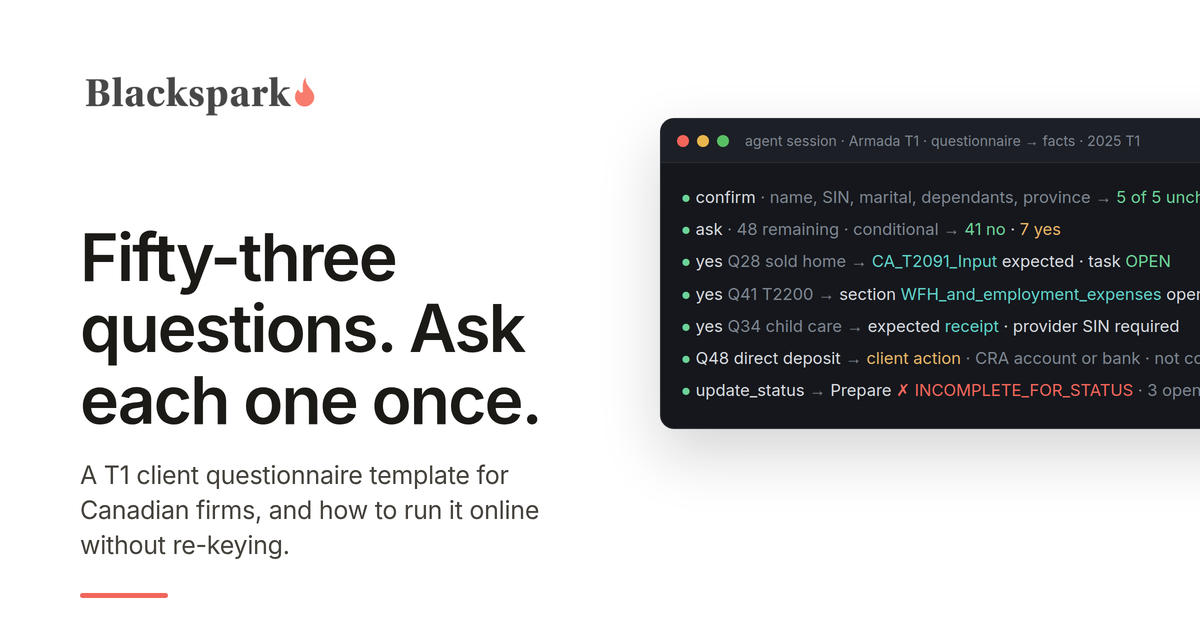
Level three: facts on the file. The questionnaire stops being a document and becomes the file's own set of facts, each recorded once with a date and a source ("client confirmed, March 3"), carried forward every year, and confirmed rather than re-asked. The question about a home sale is not a form field; it is a fact whose "yes" creates the expectation of a disposition record and a task to collect the details. The question about a T2200 is a fact whose "yes" opens the employment expense section and whose "no" closes it. This is what intake looks like when an AI agent runs it in Armada T1: the agent records the answers as structured facts, identifies which questions and documents are still open, routes each one as a task to the preparer or to the client, and never advances the file until the completeness check passes. We have shown the full loop for a firm whose practice management platform has an API and for one on Jetpack Workflow and Google Drive, with no API at all; the questionnaire is the same in both.
Whichever level you are at, three rules make the questionnaire work.
Ask once. Anything marked "confirm" should be pre-filled. A client who types their SIN and date of birth every year learns that the firm does not remember them, and a firm that re-collects a SIN through a form every year is creating a copy it now has to protect.
Every "yes" must go somewhere. A yes on question 32 should produce a request for the sale details, a yes on 39 a request for the child care receipt, a yes on 47 the expense schedule. If a yes only produces a tick in a box that a preparer reads in April, the questionnaire has captured the fact and then lost it.
Re-audit the questions every year. Credits expire and rules change. The list above reflects the 2025 tax year; the digital news subscription credit, for example, was only available for 2020 to 2024 and does not belong on a 2025 questionnaire, though it is still on many. Whoever owns the questionnaire should read the CRA's what's-new page each January before changing the year in the header.
What to do with the answers
Once the answers are in, the questionnaire's sixty-two facts collapse into a short set of consequences for the file: which sections exist (employment, self-employment, rental, capital dispositions, foreign reporting), which documents are expected beyond what Auto-fill my return will deliver, which follow-ups go to the client and which to the preparer, and which items need a human decision before anything is entered. That mapping is the real product of the questionnaire, and it is the part worth automating first, because it is the same for every client and it is where the "the questionnaire said yes but nobody noticed" errors come from.
If you are doing it by hand, the T1 intake checklist is the document side of the same process, and the tax organizer post covers the software options at each level. If you want to see the questionnaire run as facts on a file, with the follow-ups routed automatically, request access to Armada T1.
This post provides general information for tax professionals and is not tax, legal, or filing advice. The template reflects CRA rules for the 2025 tax year as published in September 2026 and should be adapted to your client base and province and reviewed each year. TaxDome, Karbon, and Jetpack Workflow are trademarks of their respective owners, and no partnership or endorsement is implied.
